I have been using Yoast SEO and Rank Math for a very long time, and I found both of them very reliable. However, in January 2026, I came across another name, the SEOPress plugin.
And then I decided to test it across my testing sites to see its features, working, and how it performs, and what perks I can get from it. So, I installed this plugin, and one thing upfront is that it is very lightweight.
Besides, I found many more worth-sharing things that I am going to detail in this guide. After reading my honest findings, it will be easier for you to decide whether you should use this plugin or not.
What is the SEOPress WordPress Plugin?
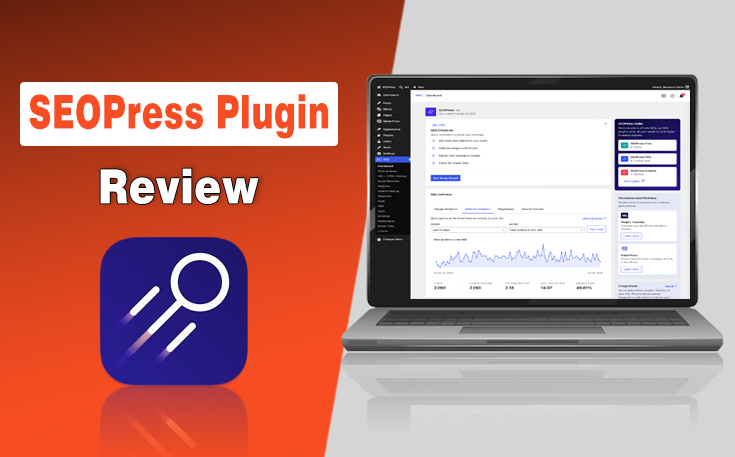
The SEOPress WordPress plugin emerges as an all-in-one solution designed to handle your metadata, indexing requests, and technical configurations.
The creators designed it to give you absolute control over how your pages look on search engine results pages without forcing you to buy endless add-ons.
It integrates flawlessly into your existing dashboard. Hence, it makes it easier than ever to build a solid foundation for your overall Search Engine Optimization campaigns.
What I Found After 4 Months of Using the SEOPress Plugin?
In my 4 months of using this plugin, I noticed immediately that it prioritizes speed and clean code, which sets it apart from competitors that often slow down your backend administration panel.
During my initial setup phase, I discovered that this plugin balances simplicity for beginners with advanced developer tools for seasoned professionals.
You do not need to be a coding genius to start configuring your core tags, but the option to inject custom code is always there if you need it.
The plugin works silently in the background and ensures your content framework aligns with modern ranking standards while keeping server resource consumption incredibly low.
SEOPress gives you absolute control over your metadata, automated redirects, and complex schema structures without ever compromising the loading speed of your website.
What is the SEOPress Premium Pricing?
While the free version is widely suited for a larger audience, if you want to unlock the full potential, SEOPress Pro is available. Multiple options are available from which you can choose according to the number of your websites.
The SEOPress pricing plans are as follows:
- SEOPress Pro: $49 per year (1 site)
- SEOPress Pro: $59 per year (5 sites)
- SEOPress Pro: $149 per year (Unlimited sites)
Key Features of SEOPress
In this section, I will break down the essential features of the SEOPress plugin, covering everything from basic sitemaps to advanced data tracking integrations that will help you stay ahead of current SEO trends without breaking a sweat.
- The Core Customization Engine: The primary dashboard allows you to manage your titles, meta descriptions, and social sharing tags from a centralized interface.
- Advanced XML and HTML Sitemaps: The native SEOPress sitemap builder present in this plugin automatically generates clean XML sitemaps that update the second you publish a new article, making it incredibly simple for search engine crawlers to discover your fresh material.
- Complete Virtual File Control: Optimizing how bots crawl your directory is simple because you can edit your SEOPress robots.txt file and your .htaccess file directly from your WordPress administration panel.
- Analytics Integration: The built-in SEOPress Google Analytics utility supports the latest tracking standards and allows you to anonymize IP addresses, track custom events, and exclude administrator views with a few simple toggles.
How to Use SEOPress Plugin: Step-by-Step Guide
In the under section, I have provided a step-by-step guide on how to use the SEOPress plugin to boost your site’s performance while still sticking to White-Hat SEO tactics.
- Install and Activate the Plugin: Navigate to your WordPress dashboard, click on Plugins, select Add New, search for SEOPress, click Install, and then activate it.
- Run the Installation Wizard: Launch the built-in configuration wizard upon activation to automatically import your existing data from other plugins and set up your basic site information.
- Configure Your Titles and Metas: Go to the Titles and Metas tab to set up dynamic global templates for your home page, post types, taxonomy archives, and social media sharing images. It will help you improve the On-Page SEO of your site and align the content with the search intent of the users.
- Enable XML Sitemaps: Access the Sitemap tab, toggle the XML sitemap functionality on, choose which post types and categories to include, and submit the generated link to Google Search Console.
- Connect Analytics and Tracking: Open the Analytics tab to enter the tracking ID of your Google Analytics account, enable IP anonymization, configure link tracking, and set up event monitoring without editing any theme files.
- Deploy Structured Data: Navigate to the Schemas tab to build global or page-specific structured data templates for your articles, products, local businesses, or recipes to target the relevant entities and boost the Semantic SEO.
- Monitor and Fix Redirects: Use the Redirection tool to scan for 44 errors on your site, set up permanent 301 redirects, and manage your URL changes for better Technical SEO.
- Optimize Content in the Editor: Open any post or page, scroll down to the integrated analysis box, enter your target keyword, and adjust your title, description, and readability until the check indicators turn green. It will enable you to make your content scannable and optimized for AEO and GEO.
Final Thoughts
My extensive 4-month journey with the SEOPress plugin proved that you do not need to spend unnecessarily on multiple software to achieve incredible search engine visibility.
With this plugin and the top SEO tools for small businesses, you can boost your rankings and get citations in the AI tools. It stands out as an exceptional, highly affordable alternative that satisfies both beginner content creators and advanced development agencies alike.
My Recommendation: If you are ready to take full ownership of your organic rankings and streamline your workflow, I highly recommend you switch to SEOPress.
People Also Ask
Yes, it integrates seamlessly with major visual builders like Elementor, allowing you to edit metadata directly within the design interface.
No, automated 404 tracking and comprehensive 301 redirect management are advanced features included in the premium version.
No, this software is designed to be lightweight and prioritizes clean code to ensure your dashboard performance remains fast.
Yes, a single premium license allows you to install and use the plugin across unlimited website domains.
Yes, it includes a dedicated image sitemap feature that automatically enhances your visibility in image search results.
Need custom app with amazing features?
Get a Quote