If you’re on Magento (or Adobe Commerce, as it’s now branded), two things tend to demand specialist help. One is platform upgrades, and the other is SEO.
Running an eCommerce store is a lot more than uploading products and packing boxes. The engine under the hood needs regular attention, and the storefront has to stay easy to navigate, both for shoppers and for search engines.
A solid technical plan keeps disruption to a minimum, protects what’s already working, and gives you a stronger base to grow from. And honestly? If your store has heavy customizations, a stack of third-party extensions, complex integrations, or a catalog that runs into thousands of SKUs, bringing in experienced Magento developers isn’t a luxury.
It is the difference between a smooth transition and a weekend-long firefight.
Why Magento Upgrades Require Careful Planning?
Magento Upgrade isn’t like updating your phone. You don’t just hit “Install” and walk away. Your theme, custom modules, payment integrations, database, and every third-party extension all have opinions about the new version.
Adobe’s own documentation is upfront about this:
“The more custom code and extensions you have, the more complex the upgrade.”
So step one is always an audit. Developers need to:
- Dig through the current environment
- Flag outdated dependencies
- Spot custom code that’ll break
- Identify extensions that haven’t been updated in two years.
It’s forensic work, and it saves weeks of pain later.
Working with a team that’s done this before means you approach the upgrade as a project, not a panic. They’ve seen the failure patterns. They know which extensions are abandonware. And they have got a process.
The Importance of a Staging Environment
A staging environment gives you a safe sandbox to run the upgrade, poke at everything, and verify it works before real customers see a thing. And “it works” doesn’t mean the homepage loads.
It means:
- Product search returns the right results
- Category pages render correctly
- Customer accounts, order history, wishlists, all functional
- Checkout flows end-to-end
- Payment gateways actually authorize
- Shipping calculations make sense
- Discount codes apply properly
- Transactional emails send
- APIs respond
- Third-party integrations (ERP, PIM, marketing tools) still talk to each other
Adobe explicitly recommends validating upgrades in staging before they go anywhere near production. Automated testing helps here, and regression suites can catch what manual QA misses.
And backups. Real ones. Tested ones. If something goes sideways during deployment, you need a way back that doesn’t involve praying.
1. Protect SEO During Technical Changes
Here’s where a lot of stores get burned. An upgrade shouldn’t touch your SEO. But it can, indirectly. URLs shift. Metadata disappears. Redirects break. Structured data gets stripped. Page speed tanks. Suddenly your organic traffic drops and nobody knows why until month-end reporting.
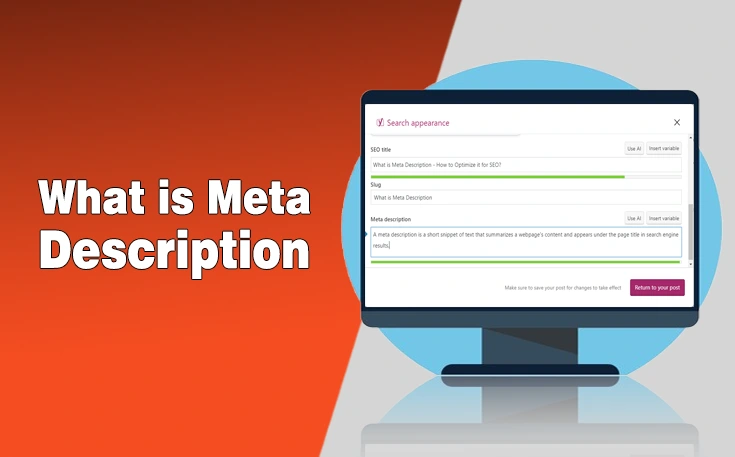
Magento has native controls for the basics: URL keys, meta titles, meta descriptions. Adobe recommends clean, search-friendly URL structures and unique metadata per page. Good. Use them.
- Before the upgrade: Document your key URLs. Identify your highest-traffic, highest-revenue pages. Crawl the site. Save the map.
- After deployment: Crawl again. Compare. Did any URLs change? Are canonicals still correct? Did structured data survive? Are 301s in place for anything that moved?
Redirects are the safety net. If a product or category URL must change, the redirect needs to be ready at launch, not two weeks later when you notice 404s in Search Console.
2. Build a Practical Magento SEO Strategy
SEO for eCommerce isn’t stuffing keywords into product descriptions. It’s the full customer journey:
Discovery → Category → Product → Checkout.
A Magento SEO agency (or in-house specialist who actually knows the platform) will look at:
- Technical crawlability and indexation
- Site architecture and faceted navigation handling
- Metadata templates and coverage
- Internal linking structure
- Duplicate content from filters, sorts, pagination
- URL parameter management
- Product page optimization at scale
Product data quality matters more than people realize. Search, both on-site and organic, depends on structured, accurate attributes.
3. Technical SEO and Site Architecture
Magento stores love generating URLs, layered navigation, color/size variations, sort orders, and pagination, which ultimately interfere with the Technical SEO of the site. You can easily hit hundreds of thousands of crawlable URLs, most of them near-duplicates.
Left unchecked, search engines waste crawl budget on noise and miss the pages that matter. A sane architecture keeps your important products and categories shallow and discoverable.
XML sitemaps help surface what matters. Robots.txt, canonical tags, internal linking strategy, URL rewrites. These aren’t “set and forget.” They’re part of ongoing maintenance, not a quarterly fire drill.
Where Expert eCommerce Development Helps?
Good developers don’t just write code. They understand how a template change ripples into SEO, how an ERP integration affects checkout performance, how a mobile UX tweak impacts conversion. They think in systems.
This is especially true for established stores where a “small change” touches five business processes. The same principle applies on Shopify, BigCommerce, whatever, platform differences are implementation details. The needs are the same: reliable integrations, scalable architecture, mobile-first experience, secure transactions, ongoing maintenance.
The goal isn’t “keep the lights on.” It’s building something you can improve without constantly breaking things.
Final Thoughts: A Long-Term Approach to Store Management
Upgrades and SEO aren’t projects with finish lines. They’re ongoing responsibilities.
- Maintain an upgrade calendar (Adobe drops security patches and feature releases on a schedule, plan around it)
- Monitor extension compatibility before you’re forced to upgrade
- Review technical performance regularly (Core Web Vitals, crawl stats, error rates)
- Assess organic search presence quarterly at minimum
Adobe recommends planning upgrades in advance and running compatibility checks pre-deployment. That’s not bureaucracy. That’s how you catch problems when they’re cheap to fix.
Effective eCommerce development blends maintenance with strategic improvement. Plan upgrades carefully. Test in staging. Protect your SEO assets. Keep the architecture clean. You get a stable platform that customers trust and search engines understand, and a team that sleeps at night.
Need custom app with amazing features?
Get a Quote