
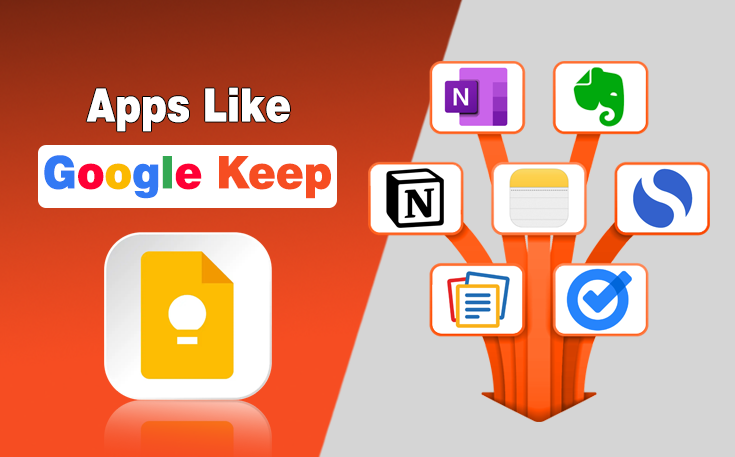
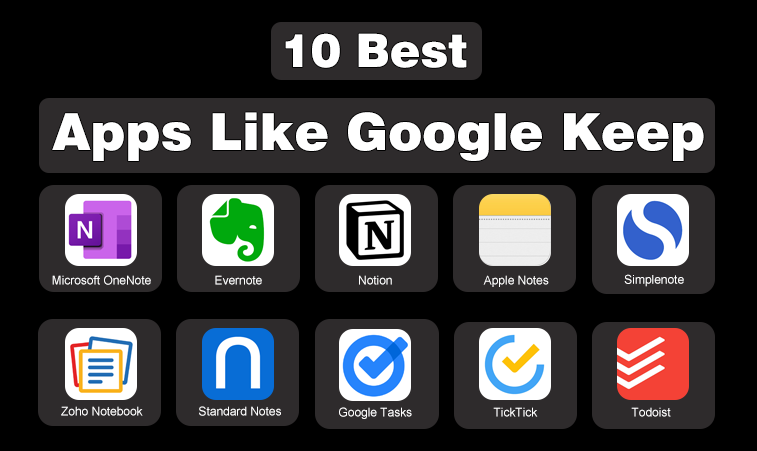
The most popular alternatives to Google Keep are Microsoft OneNote, Evernote, Notion, Apple Notes, Simplenote, Zoho Notebook, Standard Notes, Google Tasks, TickTick, and Todoist. They provide reliable options for managing notes and reminders across devices.
While in 2026, Google Keep is still useful for quick notes and reminders, many users outgrow it as their needs become more complex. That is exactly why they search for apps like Google Keep. And as if you are here, you may also be looking for a perfect replacement.
In this guide, I am taking you through the top 10 best apps like Google Keep for notes and reminders in 2026. Each of these alternatives focuses on different strengths, from advanced note organization and encryption to powerful reminders and task management.
Also, I will share what each app does well so you can pick the one suitable for you.
Why Look for Apps Like Google Keep in 2026?
Google Keep is still a solid option, but user needs have changed. People now want smarter reminders, better syncing, richer notes, and more control over how information is organized. In this section, I want to explain the main reasons users explore alternatives, so you can quickly relate your own needs to the right app.
Limitations of Google Keep for Advanced Users
I have personally felt that Google Keep works best for lightweight notes. Once your notes grow in number or complexity, things start to feel cluttered. Labels are helpful, but they are not always enough when you want structured notebooks, folders, or advanced search.
Changing Note Taking and Reminder Habits
In 2026, note taking is not just about text. Voice notes, images, scanned documents, and smart reminders are now part of everyday productivity. Many apps go far beyond what Google Keep offers, especially for professionals and students.
What Makes a Good Google Keep Alternative?
Before jumping into the list, I want to set clear expectations. Not every alternative needs to look or feel like Google Keep. What matters is how well it handles notes and reminders based on your goals.
- Ease of Use and Clean Interface: One reason people love Google Keep is its simplicity. A good alternative should feel easy from day one without a steep learning curve.
- Strong Reminder and Notification System: Notes are useless if reminders fail. I always look for apps that let me set time based, location based, or recurring reminders reliably.
- Cross Platform Sync and Accessibility: Whether you use Android, iOS, Windows, or web, your notes should follow you everywhere without delay or confusion.
Top 10 Best Apps Like Google Keep for Notes and Reminders in 2026
List of 10 Best Apps Like Google Keep
- Microsoft OneNote
- Evernote
- Notion
- Apple Notes
- Simplenote
- Zoho Notebook
- Standard Notes
- Google Tasks
- TickTick
- Todoist
Now comes the main part of this guide. Below, I walk you through the top 10 apps like Google Keep that truly help you to create notes and reminders. Each one serves a slightly different type of user, so pay attention to the use cases I mention.
1. Microsoft OneNote
Microsoft OneNote is a flexible note taking app designed for users who want structure without restrictions. It allows notes to be organized into notebooks, sections, and pages, which makes it suitable for both quick ideas and detailed documentation.
OneNote supports rich content such as images, audio, handwriting, and formatted text. While reminders are not built in, it integrates well with task and calendar tools. Hence, it is a strong Google Keep alternative for organized note management.
Key Features
- Notebook and section based organization
- Rich text formatting with multimedia support
- Freeform note layout on pages
- Cross platform sync across devices
- Deep integration with Microsoft apps
2. Evernote
Evernote is built for users who need powerful organization and fast retrieval of information. It excels at handling large volumes of notes through notebooks, tags, and advanced search capabilities. The app can store text notes, images, documents, and web clippings in one place.
Moreover, Evernote supports reminders, which are useful for both reference notes and follow ups. It is best suited for users who treat notes as long term resources rather than quick reminders.
Key Features
- Advanced search including scanned text
- Notebook and tag based organization
- Web clipper for saving online content
- Built in note reminders
- Multi device synchronization
3. Notion
Notion combines note taking, task management, and reminders into a single workspace. Instead of isolated notes, it allows users to connect ideas through pages, lists, and databases. Notes can easily turn into tasks with due dates and reminders.
While it requires initial setup, Notion offers flexibility that Google Keep does not. It works well for users who want one system to manage notes, reminders, and planning in a structured yet customizable way.
Key Features
- Customizable pages and databases
- Notes with tasks and reminders
- Templates for quick setup
- Collaboration and sharing options
- Cross platform availability
4. Apple Notes
Apple Notes is a simple yet capable note app designed specifically for Apple users. It supports text notes, checklists, images, scanned documents, and handwritten notes. Reminders can be added through integration with the Reminders app and Siri.
Notes sync seamlessly across Apple devices, which makes access instant and reliable. While it lacks deep customization, Apple Notes is a strong Google Keep alternative for users who value speed, simplicity, and tight ecosystem integration.
Key Features
- Fast syncing across Apple devices
- Support for checklists and attachments
- Document scanning built in
- Siri integration for notes and reminders
- Folder based organization
5. Simplenote
Simplenote focuses on distraction free note taking with a clean and minimal interface. It is designed for users who want to write quickly without dealing with complex features. Notes sync instantly across devices and can be organized using tags.
No doubt, reminder options are limited. Still, Simplenote works well for capturing ideas, lists, and short notes. It is a good Google Keep alternative for users who prefer speed, simplicity, and text focused note management.
Key Features
- Minimal and fast interface
- Instant cloud synchronization
- Tag based note organization
- Markdown support for formatting
- Cross platform access
6. Zoho Notebook
Zoho Notebook offers a visually organized approach to note taking with different note cards for text, checklists, audio, and images. Each note type feels clearly separated, which makes it easy to manage different kinds of information.
The app supports reminders and works well across devices. Zoho Notebook is ideal for users who want an attractive interface without sacrificing functionality. It serves as a balanced alternative to Google Keep for everyday notes and reminders.
Key Features
- Card based note organization
- Support for checklists and media notes
- Built in reminders
- Clean and modern interface
- Multi device synchronization
7. Standard Notes
Standard Notes is a privacy focused note taking app built around simplicity and security. All notes are end to end encrypted, which makes it suitable for sensitive information. The interface is clean and minimal, similar to Google Keep, but with stronger data protection.
Although advanced features require upgrades, the core experience is reliable and focused. Standard Notes is a strong option for users who value privacy while still needing basic notes and reminders.
Key Features
- End to end encrypted notes
- Minimal and distraction free interface
- Cross platform syncing
- Offline access to notes
- Optional extensions for advanced features
8. Google Tasks
Google Tasks is designed for simple task based reminders rather than long form notes. It integrates directly with Gmail and Google Calendar and makes it easy to turn emails into tasks. The note taking features are basic.
Still, this app works well for users who mainly need reminders and to do lists. Google Tasks can be used alongside or instead of Google Keep when task management is the primary goal.
Key Features
- Seamless Google Calendar integration
- Simple task and reminder system
- Email to task conversion
- Recurring task support
- Lightweight and easy to use
9. TickTick
TickTick blends task management with note support, which makes it useful for reminders driven workflows. Users can attach notes to tasks, set recurring reminders, and plan schedules visually.
It goes beyond basic reminders by offering productivity tools such as calendars and habit tracking. TickTick works well for users who rely heavily on reminders but still want space to add context and notes alongside tasks.
Key Features
- Task based reminders with notes
- Recurring and smart reminder options
- Calendar and planning views
- Cross platform compatibility
- Productivity tracking tools
10. Todoist
Todoist is not only a top alternative to Google Keep but also counted among the best apps for self-development. Because it excels at task management, it frequently lands on lists of the best free productivity apps for new entrepreneurs who need to stay organized on a budget.
It is a structured task and reminder app that also allows short notes within tasks. It is designed for users who want clear deadlines, priorities, and recurring reminders.
Also, it works well as a Google Keep alternative when reminders matter more than detailed notes. Todoist is reliable, fast, and suitable for managing daily tasks with supporting notes.
Key Features
- Powerful task and reminder system
- Priority and project organization
- Recurring reminder support
- Natural language task input
- Cross device synchronization
Final Thoughts
After testing and using many note taking tools apps like Google Keep over the years, I have learned one important lesson. There is no single best app for everyone. Google Keep is great, but it is not the final destination for most users.
In 2026, apps like OneNote, Notion, Evernote, and TickTick offer smarter ways to manage notes and reminders based on how you think and work. My advice is simple. Pick one app from this list that matches your current needs and use it consistently for a week.
You will quickly know if it feels right. Once your notes feel organized and reminders stop slipping, productivity becomes effortless.