Have you ever wondered if you are really getting the most out of your Samsung device? Or are you the one looking for the best Samsung apps you can download on your Android or iPhone?
Many users stick to the same Samsung apps every day while overlooking powerful ones that can boost productivity, improve health, simplify daily tasks, and enhance entertainment.
I have been there too, searching for apps that were actually worth downloading instead of wasting time on outdated recommendations. That’s why I created this guide. Here, you will discover the best Samsung apps for Galaxy phones, Android, iPhone, and MacBook in 2026.
What are the Best Samsung Apps?
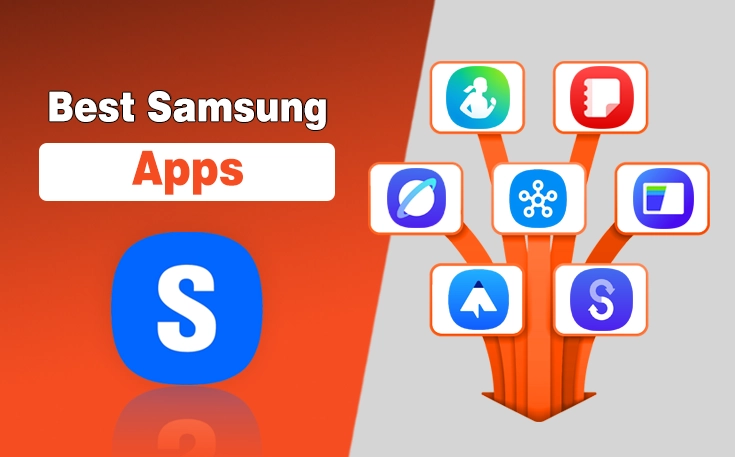
The best Samsung apps every Galaxy user should consider installing are:
- Samsung Health
- Samsung Notes
- Samsung Internet
- SmartThings
- Samsung Wallet
- Good Lock
- Secure Folder
- Samsung Smart Switch
- Samsung Members
- Galaxy Wearable
Each of these apps offers unique features that enhance productivity, security, entertainment, or device customization.
| Samsung Mobile | Best Samsung Apps |
|---|---|
| Samsung Galaxy S24 Ultra | Samsung Notes, Samsung Health, SmartThings |
| Samsung Galaxy S23 Ultra | Samsung Notes, Samsung Internet, Galaxy Wearable |
| Samsung Galaxy S22 Ultra | Samsung Health, Samsung Notes, PENUP |
| Samsung Galaxy Note 10 | Samsung Notes, PENUP, Samsung Members |
| Samsung Galaxy S5 | Samsung Smart Switch, Samsung Internet, Samsung Members |
| Samsung Galaxy S2 | Samsung Smart Switch, Samsung Internet |
What are the Best Samsung Apps for Android?
The best Samsung apps for Android users are:
- Samsung Internet Browser
- Samsung Notes
- Samsung Members
- Samsung Wallet
These Samsung apps can enhance your daily experience with better productivity, security, and convenience.
What are the Best Samsung Apps for iPhone in 2026?
The best Samsung apps for iPhone in 2026 are:
- Samsung Smart Switch
- SmartThings
- Samsung Health
Although Samsung apps are primarily built for Galaxy devices, a few are also available for iPhone users. These apps help you stay connected with Samsung’s ecosystem and make switching devices much easier.
What are the Best Samsung Apps for MacBook?
- Samsung Smart Switch
- SmartThings
- Galaxy Buds Manager
- Samsung DeX (supported on older compatible devices and macOS versions)
Keep in mind that Samsung offers far fewer macOS apps than Android or Windows. So, only a limited number of apps are available. And also there might be some compatibility issues.
What are the Best Samsung TV Apps?
The best Samsung TV apps are:
- Netflix
- YouTube
- Samsung TV Plus
And these are not the only applications you can install. I have created a dedicated guide on the best Samsung TV apps, from where you can find more entertaining names to get on your TV.
What are the Must-Have Samsung Apps?
The must-have Samsung apps are:
- Samsung Health
- Samsung Notes
- SmartThings
- Samsung Smart Switch
If you don’t want to download a larger collection of the apps on your Samsung phone, you should consider installing these 4 apps, as they really take your experience to an advanced level.
What are Samsung Apps?
Samsung Apps are applications developed or optimized by Samsung to enhance the functionality of its devices, including Galaxy smartphones, tablets, wearables, and smart home products.
These apps are designed to integrate seamlessly with Samsung’s hardware to offer unique features that standard third-party apps often cannot match. They cover a wide range of uses such as health tracking, note-taking, device management, smart home control, payment solutions, and creative tools.
Many of them come pre-installed on Samsung devices, while others can be downloaded from the Galaxy Store or Google Play Store. Together, they help users unlock the full potential of their Samsung ecosystem.
Top 10 Best Samsung Apps to Download in 2026
In the under section, I have mentioned the top 10 best Samsung Apps that you can easily download on your Samsung mobile. Whether you are looking for something to help you stay organized, improve your photos, or keep your device secure, you will find something here that fits your needs perfectly.
1. Samsung Health – Your Wellness Companion
Samsung Health is more than just a fitness tracker. It is a complete lifestyle assistant that helps you stay on top of your health goals. I personally use it to monitor my daily steps, sleep patterns, and calorie intake.
It also supports guided workouts, meditation sessions, and integration with wearable devices like the Galaxy Watch series. In 2026, Samsung has improved its AI-based health insights, which makes it easier to understand your body’s needs.
| Pros | Cons |
|---|---|
| Tracks steps, workouts, and calories accurately | Some advanced features require wearable integration |
| Provides personalized health insights | |
| Includes guided workouts and meditation | |
| Syncs seamlessly with Galaxy Watch and wearables | |
| Easy-to-read dashboards for progress tracking |
2. Samsung Notes – The Ultimate Digital Notebook
If you are someone who likes jotting down thoughts, Samsung Notes is perfect. I use it for everything from quick reminders to detailed lecture notes. The app supports handwriting, typing, and even voice notes. You can also draw and highlight in different colors.
In 2026, the syncing feature across Galaxy devices has become incredibly smooth. It means you can start a note on your phone and finish it on your tablet without missing a beat.
| Pros | Cons |
|---|---|
| Supports handwriting, typing, and voice notes | Lacks advanced collaboration features like Google Docs |
| Allows drawing and highlighting in multiple colors | |
| Syncs smoothly across Galaxy devices | |
| Offers secure note locking | |
| Works well with S Pen for precise writing |
3. Samsung Internet Browser – Secure and Fast Browsing
I know many people stick to Chrome, but Samsung Internet Browser has won me over. It feels smooth, loads pages quickly, and has powerful privacy tools like tracking blockers and secret mode.
The latest version in 2026 has improved night mode for comfortable reading and now syncs bookmarks seamlessly with your Samsung account. If you want a fast and safe browsing experience, this app is worth a try.
| Pros | Cons |
|---|---|
| Strong privacy features with tracking blockers | Limited extension support compared to desktop browsers |
| Fast page loading and smooth performance | |
| Secret mode for private browsing | |
| Night mode for comfortable reading | |
| Syncs bookmarks with Samsung account |
4. SmartThings – Control Your Smart Home
SmartThings is the hub for all your connected devices. I use it to control my lights, TV, air conditioner, and even my washing machine from my phone. The app has a clean interface and supports automation.
So, you can set routines like turning off lights when you leave the house. In 2026, SmartThings integrates better with third-party devices and makes it a true all-in-one smart home controller.
| Pros | Cons |
|---|---|
| Controls multiple smart devices from one app | Requires compatible smart devices |
| Supports automation and routines | |
| Clean and user-friendly interface | |
| Works with many third-party smart home products | |
| Remote control of appliances from anywhere |
5. Samsung Pay – Convenient and Secure Payments
Carrying cards everywhere feels old-fashioned to me now, thanks to Samsung Pay. It allows you to store your debit, credit, and loyalty cards in one place. So, you can make secure payments with your phone.
Also, you can perform transactions on a smartwatch almost anywhere. In 2026, Samsung Pay now offers cryptocurrency wallet integration, which is a game-changer for those exploring digital currencies.
| Pros | Cons |
|---|---|
| Stores multiple payment and loyalty cards | Not supported in every country or by all banks |
| Secure transactions with biometric authentication | |
| Works with both NFC and MST terminals | |
| Cryptocurrency wallet integration in 2026 | |
| Fast and convenient checkout process |
6. PENUP – Unleash Your Creativity
PENUP is an art-focused app that lets you draw, color, and share your work with a community of artists. Even if you are not a professional, it is fun to relax and doodle. I enjoy participating in weekly challenges that keep my creativity flowing.
With new updates, PENUP offers improved brushes and better pressure sensitivity for S Pen users, which makes digital art more enjoyable than ever.
| Pros | Cons |
|---|---|
| Large community for sharing artwork | Not as feature-rich as professional drawing apps |
| Weekly challenges to inspire creativity | |
| Supports S Pen pressure sensitivity | |
| Offers coloring templates for relaxation | |
| Easy sharing options to social platforms |
7. Samsung Smart Switch – Effortless Data Transfer
Switching to a new phone can be stressful, but Samsung Smart Switch makes it easy. I have used it several times, and each time, it took just minutes to transfer my photos, contacts, apps, and even settings from my old device.
Now, Smart Switch supports faster wireless transfers and even lets you move data from cloud backups directly.
| Pros | Cons |
|---|---|
| Transfers data quickly and securely | Transfer speeds can be slower over wireless |
| Supports wired, wireless, and cloud transfers | |
| Works with Android and iOS devices | |
| Can move apps, settings, and media | |
| Simple step-by-step setup |
8. Samsung Global Goals – Make an Impact
This app is a unique way to contribute to causes you care about. It raises funds for United Nations Global Goals by showing you non-intrusive ads on your lock screen. You can choose which causes to support, such as education or climate action.
I like how it turns everyday phone use into something meaningful. In 2026, the app has expanded its goal-tracking dashboard, so you can see the real-world impact of your contributions.
| Pros | Cons |
|---|---|
| Raises funds for social causes | Relies on ads for revenue generation |
| Lets you choose which goals to support | |
| Provides real-time impact tracking | |
| Runs in the background without interrupting use | |
| Educates users about global issues |
9. Samsung Members – Get Support and Tips
Samsung Members is your go-to app for device tips, diagnostics, and customer support. Whenever I face a technical issue, I run a quick phone check-up here. The app also offers community forums.
Thus, you can get advice from other Samsung users. Further, it includes a learning hub with tutorials and optimization guides for every Galaxy feature.
| Pros | Cons |
|---|---|
| Offers device diagnostics and optimization | Some advice in forums can be unreliable |
| Access to Samsung community forums | |
| Customer support chat built-in | |
| Exclusive tips and tutorials | |
| Software update information and guides |
10. Galaxy Wearable – Manage Your Wearables
If you own Galaxy Buds, a Galaxy Watch, or any other Samsung wearable, this app is essential. I use it to adjust sound settings, update firmware, and track battery levels.
Additionally, Galaxy Wearable has added a multi-device management option to make it easier to switch between your watch, earbuds, and other connected gear without going through complex menus.
| Pros | Cons |
|---|---|
| Manages all Samsung wearables in one place | Limited to Samsung and select devices |
| Easy firmware updates for connected devices | |
| Customizable settings for watches and earbuds | |
| Tracks battery levels of wearables | |
| Supports multi-device management in 2026 |
What are the Best Apps for Samsung Phones?
The best third-party apps for Samsung phones are:
- Spotify
- Google Photos
- Canva
- Microsoft Office
What are the Best VR Apps for Samsung?
The best VR apps for Samsung are:
- YouTube VR
- Fulldive VR
- Within
- Titans of Space®
- InCell VR
Samsung’s specific AR Zone app is already available on many Galaxy mobiles, and it offers some really brilliant features. But not every user loves it, maybe because they want some additional features or find it difficult to use.
So, using third-party VR apps for Samsung devices can be the ultimate solution.
<mark style="background-color:#f2f2f2" class="has-inline-color has-vivid-cyan-blue-color">❝</mark>
Important Note:
WebTech Solutions, with its Comprehensive suite of App development services, can help you build similar apps for your brand that can help you optimize the experience of your customers and establish trust with them.
Final Thoughts
These 10 Samsung apps have truly elevated my phone experience in 2026. Each one serves a different purpose, from boosting productivity to enhancing creativity and even making a social impact. When you add them to your device, you are not just installing software, you are unlocking new possibilities.
I have personally used and tested each app, and I can confidently say they will help you get the most out of your Samsung device. So, if you want your phone to work smarter for you, start exploring these apps today.
People Also Ask
What is the best call recording app for Samsung?
Cube ACR, Call Recorder by Appliqato, and Automatic Call Recorder are among the best call recording apps for Samsung phones.
What are the best apps for Samsung Galaxy Note 5?
Samsung Notes, PENUP, Samsung Internet, SmartThings, and Samsung Health are among the best apps for the Galaxy Note 5.
How to make double apps on Samsung A16?
Go to Settings > Advanced Features > Dual Messenger and enable the apps you want to duplicate.
How to uninstall Samsung apps?
Press and hold the app icon and tap Uninstall, or go to Settings > Apps to remove supported apps.
How to install third-party apps on Samsung?
Download the APK from a trusted source and enable Install unknown apps in your phone’s security settings before installing.
Need custom app with amazing features?
Get a Quote