It used to take spending weeks back-and-forth with a designer to build a visual brand. Or, you had to settle for a generic clip-art logo that looked like everyone else’s. Thankfully, it’s almost 2026, and those days are officially over.
Whether you’re launching a side hustle on Shopify or scaling a full startup, there are two great options you can use: Hatchful and Design.com. The first, Hatchful, is the ultimate “quick-start” tool for getting online fast, while the second, Design.com, is like a professional designer that blends human creativity with AI to give you a truly unique brand identity.
But which of these two Shopify logo tools is best? Let’s find out in this comparison article.
Design.com: Where AI Meets Human Artistry
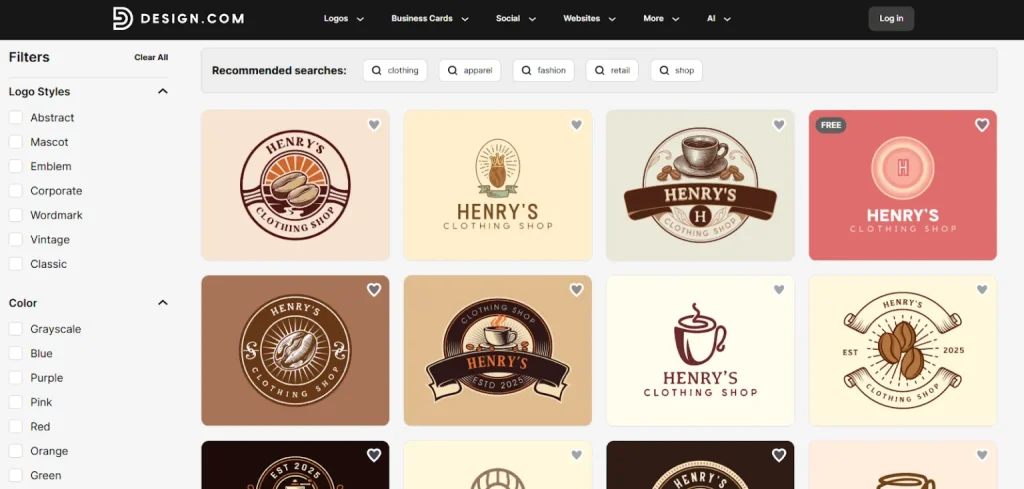
If you’re worried that AI-generated logos all look a bit “copy-paste,” Design.com is the answer. They’ve earned their spot as the world’s top logo platform (with a stellar 4.7 Trustpilot rating) by blending smart technology with actual artwork from human designers. It’s less like a basic bot and more like a high-end design studio at your fingertips.
A Library That Actually Has Everything
The sheer volume of options here is wild:
- Choose from over 360,000 logo templates, everything from 3D graphics to minimalist monograms.
- You get access to 62,000+ vector shapes and 1,200+ fonts (including 500+ exclusives you won’t find on other sites).
- They’ve packed in 8+ AI tools to help you instantly whip up websites, business cards, and presentations while keeping everything looking professional.
Your Entire Brand in One Box
Design.com doesn’t stop at the logo. It’s a full-scale branding machine with over 50 dedicated tools:
- Web & Identity: Build a website without touching a line of code, grab your domain, and generate QR codes or letterheads in seconds.
- Automatic Styling: Once you pick a logo, the platform automatically applies your colors and fonts to your other templates.
- Collaboration Tools: Not sure which design to pick? You can even create a voting poll to see what your friends are thinking. Don’t forget to save the favorites!
Physical Merch at Your Door
Want to see your logo on a t-shirt or a coffee mug? You can order custom apparel, business cards, and merch directly through the site. The best part? They offer free delivery on printed goods.
The “Actually Free” Tier
Most tools hide the download button behind a paywall, but Design.com has a legit free version.
- High-Quality Files: You can download your logo for free in every format imaginable: SVG, PDF, and PNG (including transparent backgrounds).
- Free Publishing: You can even launch your website and digital business card at zero cost.
- Note: While logos are free, some other assets, like flyers or posters, do require a premium plan.
Support and Ownership
They’ve handled the “boring stuff” so you don’t have to:
- Total Ownership: Everything is commercially safe. If you want to be the only person with your specific look, you can get an extended license to pull that template out of their library forever.
- Global Support: Their 24/7 team speaks seven languages and accepts nine different currencies, which makes it easy to get help no matter where you are.
Hatchful by Shopify: Pro Logos Without the Price Tag
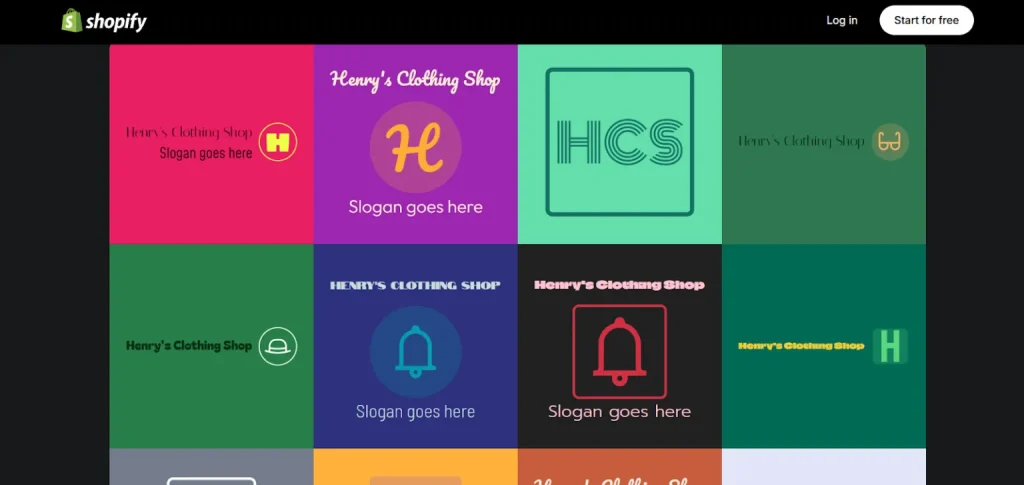
Hatchful is a free tool from Shopify that lets you build a brand identity from scratch using a huge library of trendy, pre-made templates.
The Best Part? It’s Actually Free
Unlike some “free” tools that hit you with a paywall right when you try to download your work, Hatchful is genuinely free. You can edit your heart out and download your files without any hidden fees. Plus, there’s no limit on revisions; if you change your mind about a color or font tomorrow, you can just go back and fix it.
Design Made Easy
You don’t need to be an artist to use this. You just tell the tool your business name and what you’re selling, and it suggests styles that actually make sense for your industry.
- Expert Templates: The library is constantly updated, so your brand doesn’t look like it’s stuck in 2010.
- Pro Elements: They feature high-quality fonts and color palettes so things look good on any screen size.
Ready for Anything (Both Web and Print)
When you download your logo, Hatchful gives you a full branding package:
- You get high-res PNGs and SVGs that work for both websites and business cards.
- It automatically generates files that come with the right sizes for Facebook, Instagram, and other major platforms, so you don’t have to worry about weird cropping.
More Than Just Logos
Shopify also threw in a few extra AI-powered tools:
- Business Name and Domain Finder: Feel free to brainstorm a name and check if the URL is available at the same time.
- Slogan Maker: When you need a catchy tagline but can’t come up with anything by yourself, this slogan maker is really useful.
Design.com vs. Hatchful: Why the First Is Better?
| Feature | Design.com (The All-In-One Choice) | Hatchful by Shopify (The Basic Quick-Start) |
| Design Quality | Real Art + AI: Blends human designer artwork with smart AI to avoid “generic” looks. | Rely on a library of pre-made, standardized templates. |
| Templates | A huge template library with 360,000+ logos and over 1 million total designs․ | Templates for 12 main industries. |
| Customization | 62,000+ shapes and 1,200+ fonts (including 500+ exclusives). | Basic editing of colors, fonts, and layouts within the template. |
| Free Tier | High-res Vectors (SVG, PDF) and Raster (PNG) for free. | Includes high-res files for social media and web. |
| Brand Toolkit | 50+ tools, including a Website Builder, QR codes, and letterheads. | Includes a business name generator and a slogan maker. |
| AI | 8+ AI generators for websites, business cards, and presentations. | Their AI just suggests styles based on your industry and name. |
| Social Proof | #1 logo company with a 4.7-star Trustpilot rating (3,000+ reviews). | Popular tool backed by Shopify. |
| Order shirts, mugs, and cards with free delivery. | Provides files ready for print, but doesn’t handle the printing. | |
| Legal/Ownership | Offers licenses to remove your logo from the library forever, so yours is exclusive. | Commercial safety is included, but templates stay in the library. |
| Support | 24/7 Global: Support in 7 languages and accepts 9 different currencies. | Self-Serve. |
Hatchful vs Design.com – Which Tool Wins?
If you just need a quick, simple, free logo for Shopify, Hatchful can help. But if you want to build a complete visual brand, with logo and everything else included, then Design.com should be your go-to. Their exclusive fonts, AI tools, huge library, and human-made designs make Design.com the best online logo maker. At the end of the day, it offers a level of professional depth that a simple template generator just can’t match.
Need custom app with amazing features?
Get a Quote