The difference between busy teams and productive teams is how they communicate.
Imagine managing an important project where conversations are scattered across emails and messages get buried. This leads your team to constantly switch between tools.
That’s where the right office communication app helps you. Modern office communication software combines everything your team needs in one place:
- Instant messaging and team chat
- Video conferencing and voice calls.
- File sharing and task collaboration
- Integrations with popular business tools
In fact, communication software is often the core pillar around which you build your entire stack of business technology tools. With so many work communication apps available, choosing the right one isn’t easy.
To help you decide, I’ve compared the 10 best office communication apps for 2026 based on features, pricing, security, ease of use, integrations, and overall value.
What Are Office Collaboration and Communication Apps?
Office communication apps are collaboration platforms like Slack, Microsoft Teams, and Google Chat that combine messaging, video meetings, file sharing, and team collaboration in one workspace.
Modern office communication software centralizes workplace communication, helping teams collaborate without relying on scattered emails or multiple apps. Most business communication apps include:
- Instant messaging and group chat
- Voice and video meetings
- File sharing and document collaboration
- Screen sharing
- Task management and workflow automation
- Integrations with Google Workspace, Microsoft 365, Dropbox, and Trello
Whether you manage a small business, a remote team, or an enterprise, the right communication platform improves collaboration, speeds up decision-making, and keeps everyone aligned from a single workspace.
Top 10 Best Office Collaboration and Communication Apps
Choosing the right office communication app depends on your team’s size, workflow, collaboration needs, and budget. Below, I’ve reviewed the best office communication apps based on their features, pricing, ease of use, integrations, and ideal use cases to help you find the right fit.
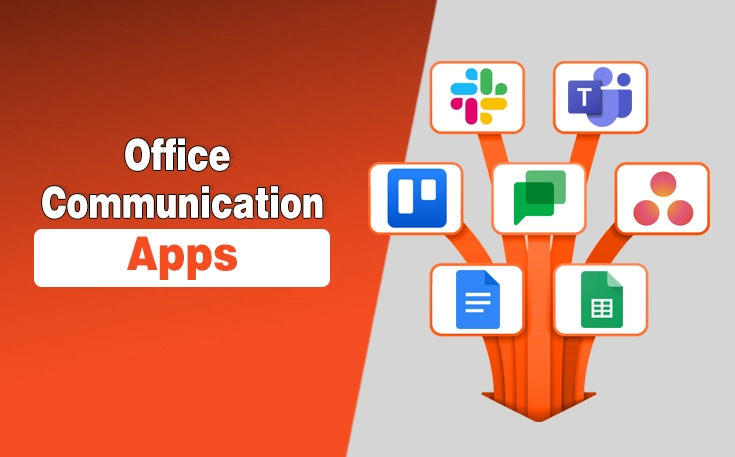
- Slack
- Microsoft Teams
- Trello
- Zoom
- Google Chat
- Asana
- Google Docs
- Google Sheets
- ClickUp
- WhatsApp Business
1. Slack
Slack is an office communication app that helps businesses centralize team communication, collaboration, and workplace conversations in one platform, reducing reliance on email and disconnected tools.
Businesses of all sizes use Slack to keep conversations organized, improve team collaboration, and support faster decision-making. It is also counted among the best iPhone productivity apps, and its scalable ecosystem makes it a reliable choice for startups, small businesses, and large enterprises.
Best For: Startups, SMBs, and remote teams that need organized workplace communication.
Key Features
- Channel-based messaging
- Slack Huddles for voice and video conversations
- File sharing and searchable message history
- Workflow Builder for automation
- 2,600+ integrations with business tools
- Custom notifications
Pricing
- Free: $0/month
- Pro: $4.38/user/month
- Business+: $9/user/month
| Pros | Cons |
|---|---|
| Intuitive interface | Information overload in active workspaces |
| Powerful search | Advanced features require paid plans |
| Extensive integrations | Notification management can be challenging |
| Workflow automation | |
| Scales with business growth |
2. Microsoft Teams
Microsoft Teams is an office communication app that combines team messaging, video meetings, file sharing, and collaboration in a single workspace.
Built into the Microsoft 365 ecosystem, it helps businesses streamline communication and improve team productivity. Organizations of all sizes rely on Microsoft Teams to connect employees, collaborate on projects, and manage virtual meetings from one platform.
Best For: Medium to large businesses and organizations using the Microsoft 365 ecosystem.
Key Features
- Instant messaging and team channels
- Audio and video meetings
- Screen sharing and meeting recording
- Microsoft 365 integration
- File sharing and real-time collaboration
- Meeting scheduling and calendar synchronization
Pricing
- Microsoft Teams Essentials: $4/user/month
- Microsoft 365 Business Basic: $7/user/month
- Microsoft 365 Business Standard with Copilot: $23.50/user/month
| Pros | Cons |
|---|---|
| Seamless Microsoft 365 integration | Can feel overwhelming for new users |
| Supports large team meetings | Higher resource usage on older devices |
| Secure collaboration tools | |
| Built-in file collaboration | |
| Enterprise-grade security |
3. Trello
Trello is a project management and team collaboration platform that helps teams organize tasks, manage workflows, and communicate through shared boards. Its visual interface makes tracking projects simple and efficient.
Its Kanban-based workspace gives teams a clear view of project progress, making it easier to prioritize tasks, monitor deadlines, and keep work organized across multiple projects.
Because of this visual simplicity, many professionals also use Trello to track personal goals alongside their favorite self-development apps.
Best For: Small businesses, startups, and project teams that prefer visual task management.
Key Features
- Kanban boards for project management
- Task cards with comments and attachments
- Checklists, labels, and due dates
- Real-time team collaboration
- Power-Ups for third-party integrations
- Butler workflow automation
Pricing
- Free: $0/month
- Standard: $5/user/month
- Premium: $10/user/month

| Pros | Cons |
|---|---|
| Simple and intuitive interface | Limited built-in communication features |
| Visual project management | Not ideal for complex enterprise projects |
| Customizable workflows | |
| Wide range of integrations |
4. Zoom
Zoom is a video conferencing platform that enables businesses to host virtual meetings, webinars, and team discussions with reliable audio and video quality for remote, hybrid, and in-office teams.
Its stable performance and broad device compatibility make it a dependable choice for businesses that frequently communicate with employees, clients, and stakeholders across different locations.
Its widespread adoption makes it easy for businesses to communicate with employees and clients without complex setup. However, while it’s great for quick client chats, fast-growing teams will eventually want to sync their client chats with dedicated CRM tools for agencies to manage their sales pipelines properly
Best For: Remote teams, client meetings, webinars, and businesses that rely on virtual communication.
Key Features
- HD video and audio meetings
- Screen sharing
- Meeting recording
- Breakout rooms
- Virtual backgrounds
- Team Chat for workplace messaging
Pricing
- Basic: Free
- Pro: $14.16/user/month
- Business: $18.33/user/month

| Pros | Cons |
|---|---|
| High-quality video and audio | Free plan limits group meetings to 40 minutes |
| Supports large meetings and webinars | Limited project collaboration features |
| Easy to use | |
| Reliable screen sharing | |
| Cross-platform compatibility |
5. Google Chat
Google Chat is a business communication app that enables team messaging and collaboration within the Google Workspace ecosystem, helping teams communicate from a centralized workspace.
Its native compatibility with Google Workspace simplifies communication for organizations already using Google’s productivity suite, reducing the need for additional collaboration software.
Best For: Businesses, schools, and remote teams using Google Workspace.
Key Features
- Direct and group messaging
- Spaces for team collaboration
- File sharing through Google Drive
- Voice and video meetings with Google Meet
- Smart search for conversations
- Integration with Gmail, Docs, Sheets, and Calendar
Pricing
- Business Starter: $6.30/user/month
- Business Standard: $12.60/user/month
- Business Plus: $22/user/month
| Pros | Cons |
|---|---|
| Seamless Google Workspace integration | Advanced features require a Google Workspace subscription |
| Clean and intuitive interface | |
| Easy file sharing and collaboration | |
| Secure cloud-based communication |
6. Asana
Asana is famous as one of the finest apps for new entrepreneurs to enhance productivity. However, the thing most users don’t know is that it is also a work management and team collaboration platform that helps businesses organize projects, assign tasks, and track progress from a centralized workspace.
Its structured approach to project planning helps teams manage deadlines, coordinate responsibilities, and maintain visibility across ongoing work, making it suitable for both growing businesses and enterprise teams.
Best For: Project managers, marketing teams, and businesses managing complex workflows.
Key Features
- Task assignment and due dates
- Project timelines and multiple project views
- Custom workflows
- Automation for repetitive tasks
- Team collaboration and comments
- Integrations with Slack, Microsoft Teams, Google Drive, and other business tools
Pricing
- Personal: Free
- Starter: $10.99/user/month
- Advanced: $24.99/user/month
| Pros | Cons |
|---|---|
| Easy task and project management | Steeper learning curve for new users |
| Multiple project views | |
| Powerful workflow automation | |
| Customizable workflows | |
| Extensive integrations |
7. Google Docs
Google Docs is a cloud-based document editor that enables teams to create, edit, and collaborate on documents in real time. As part of Google Workspace, it simplifies document collaboration across devices.
Its cloud-first approach keeps documents accessible from a single location, reducing version conflicts and making it easier for teams to work on shared files.
Best For: Businesses, students, and remote teams that collaborate on shared documents.
Key Features
- Real-time document collaboration
- Smart Canvas
- Comments, suggestions, and document sharing
- Version history and automatic saving
- Offline editing
- Permission and access controls
- Integration with Google Drive, Google Meet, and other Google Workspace apps
Pricing
- Free: $0
- Included with Google Workspace plans
| Pros | Cons |
|---|---|
| Real-time collaboration | Large file slowdowns |
| Automatic saving and version history | Fewer advanced formatting tools than desktop editors |
| Easy sharing with permission controls | |
| Accessible from any device | |
| Seamless Google Workspace integration |
8. Google Sheets
Google Sheets is a cloud-based spreadsheet application that enables teams to organize, analyze, and collaborate on data in real time. As part of Google Workspace, it supports collaborative spreadsheet management across devices.
Its centralized workspace helps teams maintain accurate business data by keeping everyone connected to the same spreadsheet, eliminating duplicate files and version conflicts.
Best For: Businesses, finance teams, project managers, and remote teams managing shared spreadsheets.
Key Features
- Real-time spreadsheet collaboration
- Comments and cell-level discussions
- Version history and automatic saving
- Permission and access controls
- Built-in formulas, charts, and data analysis
- Integration with Google Drive, Google Forms, and other Google Workspace apps
Pricing
- Free: $0
- Included with Google Workspace plans
| Pros | Cons |
|---|---|
| Real-time collaboration | Limited advanced analytics compared to desktop spreadsheet software |
| Automatic saving and version history | Performance may slow with very large datasets |
| Powerful formulas and charts | Some advanced capabilities require third-party add-ons |
| Accessible from any device | |
| Seamless Google Workspace integration |
9. ClickUp
ClickUp is a work management and team collaboration platform that combines task management, communication, and workflow planning in a single workspace. It helps teams organize projects while reducing the need for multiple productivity tools.
Its all-in-one approach gives businesses better visibility into tasks, deadlines, and project progress, making it suitable for teams that want to manage work from a centralized platform.
Best For: Businesses, project managers, and cross-functional teams looking for an all-in-one productivity platform.
Key Features
- Task management and assignments
- Built-in Chat and task comments
- Custom dashboards and multiple project views
- Workflow automation
- Time tracking and goal tracking
- Integrations with Slack, Google Drive, Microsoft Teams, GitHub, and more
Pricing
- Free Forever: $0
- Unlimited: $7/user/month
- Business: $12/user/month

| Pros | Cons |
|---|---|
| All-in-one productivity platform | Steep learning curve for new users |
| Highly customizable workflows | Interface can feel overwhelming |
| Powerful automation features | |
| Wide range of integrations | |
| Suitable for teams of all sizes |
10. WhatsApp Business
WhatsApp is a business communication app that enables instant messaging, voice and video calls, and file sharing with end-to-end encryption.
It provides a simple way for teams to stay connected across mobile and desktop devices. Its widespread adoption and familiar interface make it easy for businesses to communicate with employees, clients, and partners without additional training or complex setup.
Best For: Small businesses, startups, and teams that need simple, secure communication.
Key Features
- One-to-one and group messaging
- Voice and video calls
- Document, image, and video sharing
- End-to-end encryption
- Voice messages
- Multi-device support
Pricing
- Free: $0
| Pros | Cons |
|---|---|
| Free to use | Limited business collaboration features |
| End-to-end encrypted communication | Lacks built-in task and project management |
| Familiar and easy-to-use interface | Group management is limited for large organizations |
| Cross-platform support | |
| Fast file and media sharing |
How to Choose the Right Office Communication App?
The best office communication app depends on your team size, workflow, budget, security requirements, and existing business tools.
Choosing the right office communication software improves collaboration, productivity, and scalability. Before deciding, compare these factors:
- Team Size: Select software that supports your current team and future growth.
- Communication Features: Look for instant messaging, voice and video meetings, screen sharing, and file sharing.
- Integrations: Ensure compatibility with Google Workspace, Microsoft 365, Zoom, Trello, Asana, and other business tools.
- Security: Choose platforms with end-to-end encryption, multi-factor authentication (MFA), role-based access control, and compliance certifications.
- Ease of Use: An intuitive interface improves adoption and reduces training time.
- Pricing: Compare plans based on your required features and budget.
- Scalability: Choose software that can grow with your business.
Evaluating these factors will help you select an office communication app that supports efficient collaboration for remote, hybrid, and in-office teams. Remember that ensuring your team can monitor feedback using the best tools for proactive brand reputation management keeps your external business presence just as healthy.
Final Thoughts: Which Office Communication App Would I Recommend?
The best office communication app depends on how your team works. If you already use Microsoft 365, Microsoft Teams is the natural choice, while apps like Trello bridge the gap between team conversations and strong project management tools.
Businesses invested in Google Workspace will benefit from Google Chat, Docs, and Sheets, whereas ClickUp and Asana are better suited for project-driven teams.
Rather than choosing the most popular platform, focus on the one that matches your workflow, budget, and long-term business needs.
Still Have Questions? Here’s What I’d Like You to Know
Which Is the Best Office Communication App for Small Businesses?
Slack and Google Chat are among the best office communication apps for small businesses because they offer messaging, collaboration, and affordable pricing with free plans.
Which Office Communication App Is Best for Large Teams?
Microsoft Teams is ideal for large organizations due to its Microsoft 365 integration, enterprise security, and support for large meetings and collaboration.
Are Office Communication Apps Free to Use?
Many office communication apps, including Slack, Zoom, Google Docs, Google Sheets, ClickUp, and WhatsApp, offer free plans with optional premium upgrades.
What Features Should an Office Communication App Include?
The best office communication software should provide team messaging, video meetings, file sharing, screen sharing, integrations, security, and collaboration tools.
What Is the Difference Between Office Chat Software and Office Communication Software?
Office chat software focuses on messaging, while office communication software also includes meetings, collaboration, file sharing, and workflow integrations.
Which Communication App Is Best for Remote Teams?
Slack, Microsoft Teams, and Zoom are among the best communication apps for work, supporting remote collaboration through messaging, meetings, and file sharing.
Can Office Communication Apps Improve Team Productivity?
Yes. The right business communication app reduces communication gaps, centralizes conversations, and helps teams collaborate more efficiently across projects.
How Secure Are Office Communication Apps?
Most leading office messaging software, including Slack, Microsoft Teams, and Google Chat, offer encryption, access controls, and enterprise-grade security features.
Need custom app with amazing features?
Get a Quote