
Running a small business website? Make sure to perform a Technical SEO audit because it is the only way to go forward in this dynamic landscape of Search Engine Optimization.
Throughout my career as a digital marketing and SEO consultant, I have resolved issues for many businesses related to their sites. But as I know, small businesses don’t have enough budget to spend.
So, I have created this step-by-step guide on how to perform a technical SEO audit for a small business website. After reading this, you will definitely have an idea of eliminating the key errors from your site.
How to Do Technical SEO Audit for a Small Business Website Step by Step
Now, let’s move to the practical part. Below, I have broken down the whole audit process into simple steps so you can improve the Technical SEO of your small business website.
1. Crawl Your Website and Find Problems
This step helps you scan your entire website and spot technical issues quickly.
- Open Screaming Frog SEO Spider and enter your website URL
- Click Start and wait for the crawl to complete
- Go to the errors section and find broken pages (404)
- Open each broken page and either fix the link or redirect it to a working page
- Check for duplicate or missing titles and rewrite them so every page is unique
- Note down all major issues so you can fix them one by one
2. Check Which Pages Google Is Ignoring
Now, it comes to finding which pages are not appearing in Google and why.
- Open Google Search Console
- Go to Indexing.
- Then, select Pages.
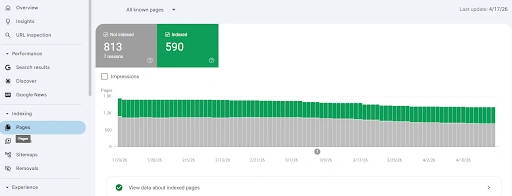
- Look at “Crawled but not indexed” pages and improve their content.
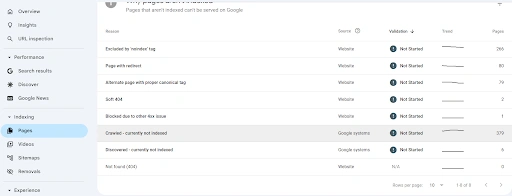
- Look at “Discovered but not indexed” pages and add internal links to them.
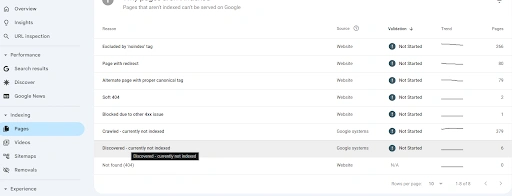
- Use URL Inspection to check important pages and request indexing
- Make sure your sitemap is submitted and working properly
3. Make Your Website Load Faster
No doubt, the SEO landscape has shifted massively, but one thing that remains the same is how Google evaluates website loading speed. That’s why you need to improve it so users don’t readily pull back.
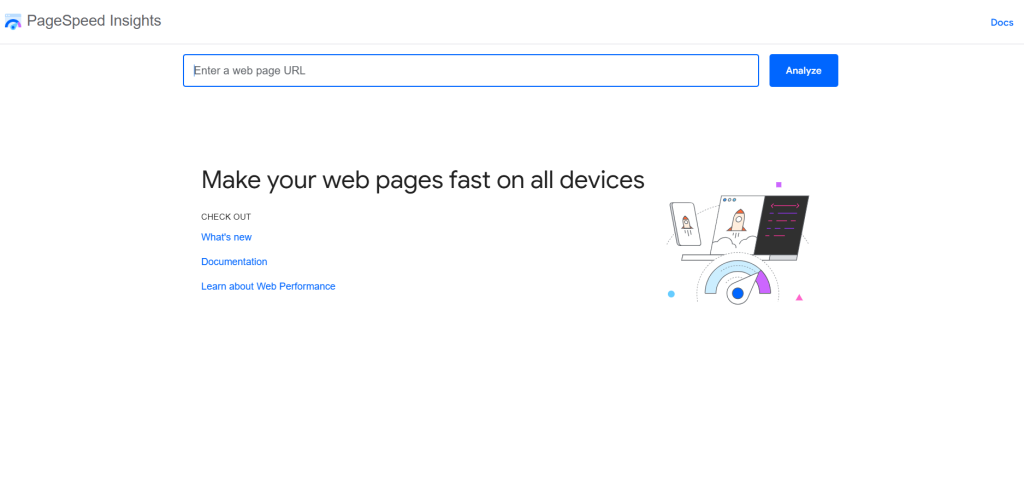
- Go to Google PageSpeed Insights.
- Enter your website URL and run the test.
- Compress large images to reduce load time
- Remove unnecessary plugins or scripts slowing down the site
- Simplify heavy elements like sliders or videos on the homepage
- Test again after changes to confirm improvement
The following are the standard metrics that can help you optimize your website speed.
| Metric | What It Means (Simple) | Good Score | What You Should Do |
|---|---|---|---|
| LCP (Largest Contentful Paint) | Time it takes for the main content (image/text) to load | ≤ 2.5 seconds | Compress images, use better hosting, reduce large elements |
| INP (Interaction to Next Paint) | How fast the page responds when a user clicks or interacts | ≤ 200 ms | Remove heavy scripts, reduce JavaScript, limit plugins |
| CLS (Cumulative Layout Shift) | How much the layout moves while loading | ≤ 0.1 | Set fixed sizes for images, avoid shifting elements |
| FCP (First Contentful Paint) | When the first visible content appears | ≤ 1.8 seconds | Improve server speed, optimize CSS loading |
| TTFB (Time to First Byte) | How fast your server starts responding | ≤ 800 ms | Use good hosting, enable caching |
| Speed Index | How quickly the page visually loads overall | ≤ 3.4 seconds | Reduce page size, optimize above-the-fold content |
4. Fix Page Titles, Headings, and Links
Content structure is now one of the most important things, not only for SEO, but also for GEO and AEO. Users should get the direct answer first, and it also helps AI tools to cite your data.
- Open a page and check that it has only one main heading (H1)
- Rewrite page titles so each one is unique and includes the main keyword
- Add internal links from one page to other relevant pages
- Use clear words in links instead of generic text like “click here”
- Keep URLs short, simple, and easy to understand
5. Check Mobile and Basic Technical Settings
In 2026, around 64% of the website traffic comes from smartphones. This is the reason I have mentioned this point. To ensure your users find your website helpful on their mobile devices, you need to make sure it gets loaded and works perfectly on small screens.
- Open your website on your phone and manually test it
- Check if the text is readable without zooming, and buttons are easy to tap
- Resize your browser to see how pages adapt to different screen sizes
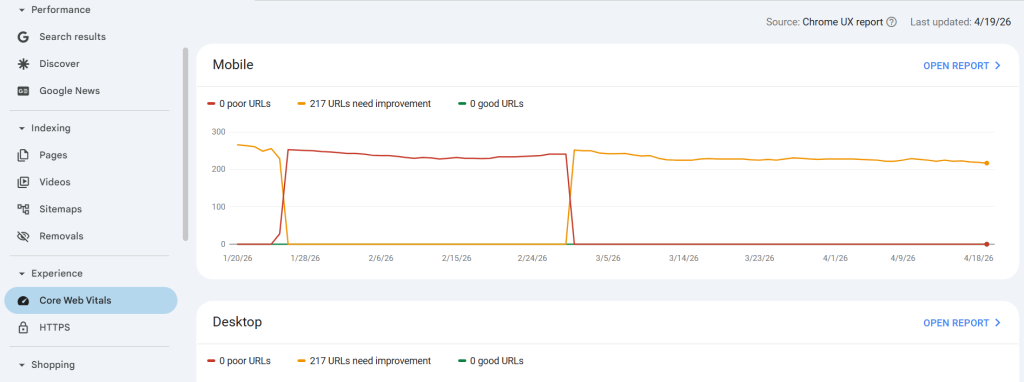
- Go to Google Search Console.
- Check Core Web Vitals (Mobile tab) to identify mobile-specific issues
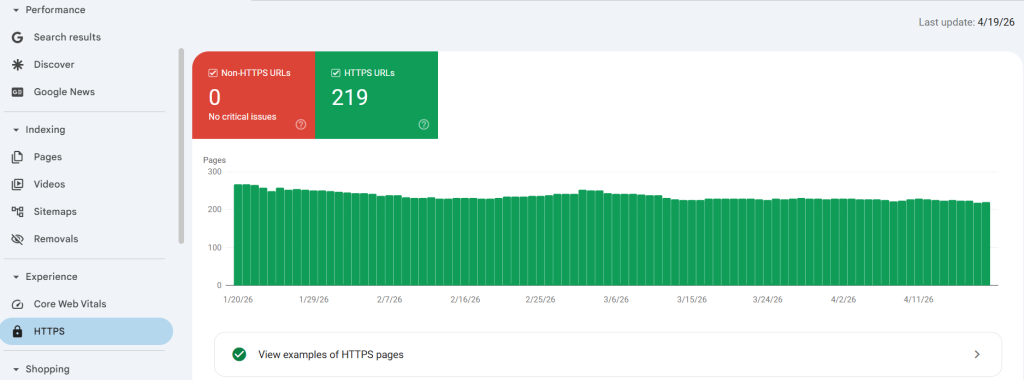
- Make sure your website has an SSL certificate and loads with HTTPS (secure connection), and no “Not Secure” warning appears
- Open your important pages one by one and confirm they load properly (no broken layout or missing content)
- Check robots.txt and ensure important pages are not blocked (no accidental “Disallow”)
I have also covered a complete guide on Fixing Crawl Errors in Google Search Console, that can help you fix the indexing issues quite effectively.
Final Thoughts
A technical SEO audit doesn’t have to be complicated or overwhelming, especially for a small business website.
Once you start following the steps that I have mentioned, like checking crawl issues, fixing indexing problems, improving speed, and ensuring mobile usability, it becomes much easier to manage. The key is consistency.
You don’t need to fix everything in one day. Just focus on the most important issues first and improve gradually. Over time, these small fixes can lead to better rankings, faster pages, and a smoother user experience.
Stick to the process, keep things simple, and your website will steadily become stronger from a technical SEO perspective.
Need custom app with amazing features?
Get a Quote