
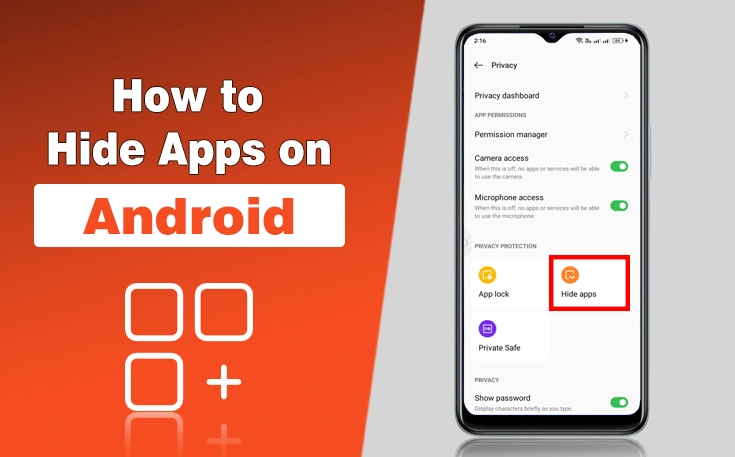
Are you a privacy-focused person who always cares about sensitive information on your mobile? If yes, then you are really looking for ways to hide apps on Android.
No matter whether you want to hide banking apps, gaming apps, or other private apps so that no one can access them but you. Android mobile versions from different companies care about users’ privacy and offer features of apps lock of hiding.
However, some models lack built-in features to hide apps. But still, there is no need to worry, as there are many third-party app hiders that make you able to hide your apps in a private and secure section.
In this guide, I have shared the ways to hide apps on Android. These steps work for different mobile models.
5 Ways to Hide Apps on Android
Here are ways that help you learn how to hide apps on Android. These different methods are for different Android mobile models. Let’s discover here:
1 – Hide apps through built-in settings
For many Android phones, you can use the built-in settings to hide apps on Android. It is an easier and more secure way where you can set your own password and hide the app.
Here are the following steps to do:
- Open your Android mobile settings
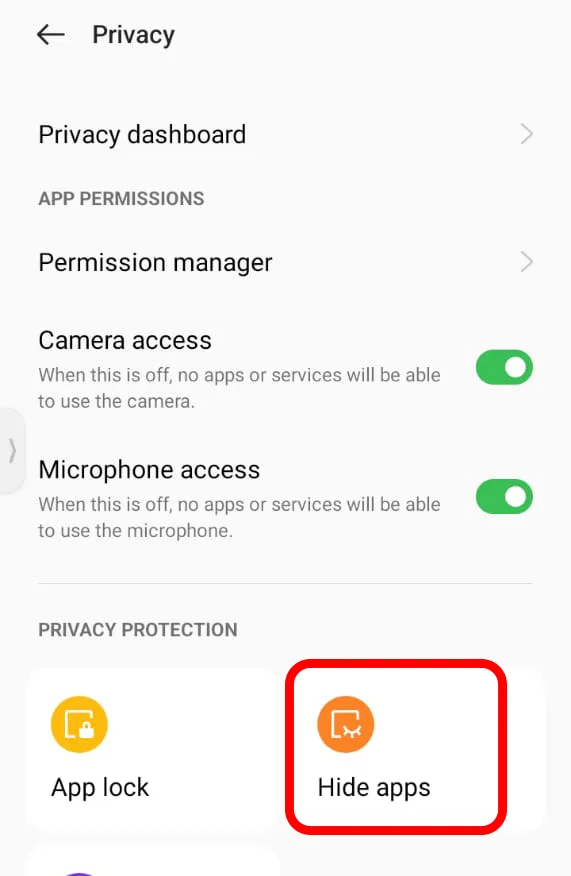
- Find or search for Hide apps
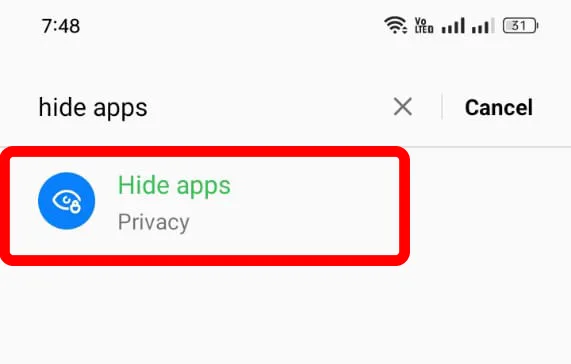
- Click on hide apps and set your privacy password
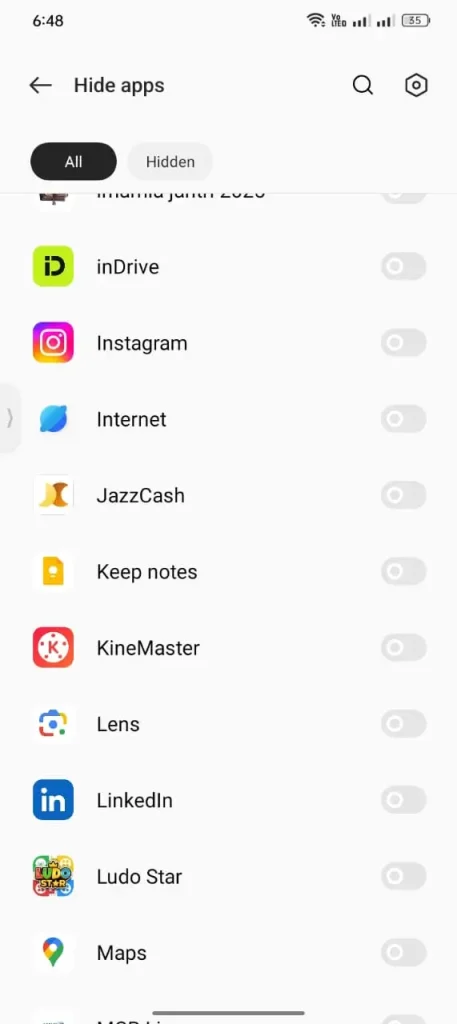
- Select the apps that you want to hide
Note: Some of the Android phones dont have built in option to hide apps, so you can try different methods.
2 – Hide apps with app-hiders
App hiders are another option for hiding apps on android. As an android user you can find install reliable app hider from google play store.
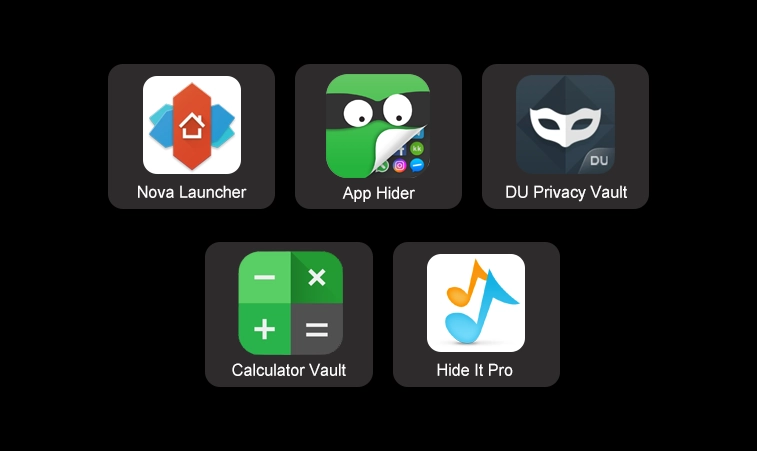
Some of the popular App hiders are:
- Nova Launcher: Nova Launcher allows you to hide apps on your phone and reshuffle them. It is known for its customization features, it includes the ability to hide apps.
- App Hider: App hider is another third party tool to create a cloned copy that can be concealed from the app drawer.
- DU Privacy Vault: It provides a secure vault to hide apps and protect privacy.
- Calculator Vault: Disguises itself as a calculator app while functioning as a vault to hide apps.
- Hide It Pro: Initially designed to hide photos and videos, it can also hide apps effectively.
You can use these third-party apps to hide your apps, photos, or other personal data.
3 – Hide apps through Guest Mode/account
In case you don’t want to use third-party apps, then there is another option for you.
Guest mode or account on Android phones allows users to share a different account in one mobile. You can use your personal data and apps in one account and keep some private apps in another account.
Switch guest mode from settings. In your mobile setting find or search for Guest User and switch between guest or personal account.
However, Samsung mobile does not have a mode to switch, while you can switch this on Samsung tablets.
4 – Use a secure folder to lock and hide apps
Secure folder feature is available on some Android mobiles like Samsung and Xiaomi to hide apps. You can use the secure folder to hide apps, documents, data, photos, and files.
On Samsung mobiles, you can find with the same name, Secure Folder, while in Xiaomi mobiles, you can find it by the name of Dual apps.
However, Dual apps do not completely hide your app but allow you to hide personal data and account information.
5 – Hide Apps By Disabling
You can also hide apps by disabling them for Android app permissions. It is the best way to hide apps instead of installing them.
This step also prevents apps from using phone resources and background data.
Sum Up
Well, these are the details on how to hide apps on Android. There are different methods that you can apply to hide apps. It is important to keep in mind that not all methods work with your mobile due to different versions, features, and functions of mobiles.
So, you can try the one that fits your needs and makes you feel secure, and an easy way to access the hidden apps whenever you want. Further, do not share your private security code with anyone set for hiding apps.
People Also Ask
Can I hide apps on Android without installing a third-party app?
Yes, many Android phones offer a built-in option to hide apps through the device settings.
Which Android phones have a built-in app hiding feature?
Brands like Samsung, Xiaomi, OnePlus, OPPO, and Realme offer built-in app hiding features on many models.
Is it safe to use third-party app hiders?
Yes, as long as you download trusted app hiders from the Google Play Store.
Does disabling an app hide it from my phone?
Disabling an app removes it from the app drawer and prevents it from running in the background.
Can hidden apps still receive notifications?
Yes, hidden apps usually continue to work and receive notifications unless they are disabled or restricted.
Need custom app with amazing features?
Get a Quote