When people talk to me about SEO, one of the first things I hear is that good tools are expensive. I completely disagree. Google quietly offers a full ecosystem of free SEO tools that many people either ignore or only use at a surface level.
Over the years, I have built ranked websites, analyzed traffic, fixed technical issues, and grown visibility using these tools that cost me nothing. So, you should also pocket their benefits as they can enable you to build real authority through accurate insights.
In this guide, I have created a list of the 9 free SEO tools from Google that you can use even in 2026 to rank your website. I will also show you how these tools work together and why they often outperform paid platforms when used correctly.
Why Google Free SEO Tools Matter More Than Ever?
Google owns the search engine. That alone gives SEO tools by Google a level of accuracy that no third party platform can fully replicate. When I want real performance data, keyword intent signals, or indexing feedback, I always start with Google tools.
Another reason I rely on them is sustainability. Algorithms change frequently. Paid tools estimate. Google tools report actual behavior. If you want long term SEO growth, you need to align with what Google itself is measuring and rewarding. That is exactly what these tools help you do.
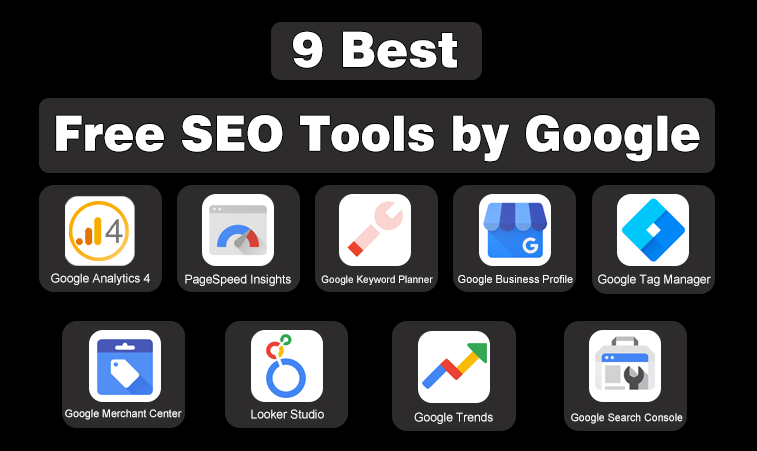
9 Best Free SEO Tools by Google
List of 9 Best Free SEO Tools From Google
- Google Analytics 4
- PageSpeed Insights
- Google Keyword Planner
- Google Business Profile
- Google Tag Manager
- Google Merchant Center
- Looker Studio
- Google Trends
- Google Search Console
In the under section, I have highlighted the most powerful free SEO tools offered directly by Google and explained how each one supports a specific part of the SEO process. From traffic analysis and keyword research to performance optimization and visibility tracking, these tools work together to help improve search rankings and user experience.
The following tools break down how Google’s own platforms can be used to plan, optimize, measure, and scale SEO efforts effectively without relying on paid software.
1. Google Analytics 4
Google Analytics 4 is a web analytics platform used to measure website traffic, user behavior, and conversions. It helps users understand how visitors interact with page content and events across devices. Unlike older analytics models, it focuses on event based tracking rather than sessions.
For SEO, it allows analysis of organic traffic performance, engagement metrics, and goal completions, which helps identify which pages attract quality visitors and which require optimization.
Key Features
- Event based data model
- Organic traffic performance tracking
- Conversion and goal measurement
- Cross device user analysis
- Real time reporting
2. PageSpeed Insights
PageSpeed Insights is a performance analysis tool that evaluates how fast a web page loads and how stable it feels for users. It reports Core Web Vitals metrics, which Google uses as ranking signals.
The tool provides both field data from real users and lab data for diagnostics. It helps site owners identify performance issues that impact SEO, user experience, and mobile usability.
Key Features
- Core Web Vitals scoring
- Mobile and desktop performance reports
- Real user field data
- Performance improvement recommendations
- Lighthouse diagnostics
3. Google Keyword Planner
Google Keyword Planner is a keyword research tool designed to analyze search demand and keyword potential. It provides estimated search volumes, competition levels, and commercial intent indicators.
Although built for advertisers, it is widely used in SEO to validate keyword ideas and plan content strategies. It helps users choose keywords based on demand trends, relevance, and monetization potential.
Key Features
- Keyword search volume estimates
- Keyword idea generation
- Competition level insights
- Seasonal trend analysis
- Geographic keyword targeting
4. Google Business Profile
Google Business Profile is a local SEO tool that manages how businesses appear in Google Search and Maps. It allows businesses to display accurate contact details, operating hours, services, and reviews.
Optimizing this profile improves local search visibility and customer trust. It is essential for businesses targeting nearby customers and location based searches.
Key Features
- Local search and map visibility
- Business information management
- Customer review collection
- Post and update publishing
- Local performance insights
5. Google Tag Manager
Google Tag Manager is a tag management system used to deploy tracking codes without modifying a website’s source code. It simplifies the setup of analytics tags, conversion tracking, and custom events.
For SEO, it helps track user interactions such as clicks, scrolls, and form submissions, which provide deeper insight into engagement beyond traffic numbers.
Key Features
- Centralized tag deployment
- Event and interaction tracking
- No code implementation workflow
- Built in preview and debug mode
- Integration with Google analytics tools
6. Google Merchant Center
Google Merchant Center is a platform for submitting product data to Google. It enables products to appear in Google Shopping and organic product listings. Ecommerce websites use it to improve product visibility and search presence.
Accurate product feeds help Google display pricing availability and product details correctly, which improves click through rates and organic reach.
Key Features
- Product feed submission
- Organic shopping visibility
- Product data diagnostics
- Policy and compliance alerts
- Ecommerce platform integrations
7. Looker Studio
Looker Studio is a data visualization and reporting tool used to create custom dashboards. It combines data from Google Analytics, Search Console, and other sources into visual reports. For SEO, it helps track traffic rankings and conversions in one place.
The tool is useful for performance monitoring, trend analysis, and reporting to stakeholders.
Key Features
- Custom dashboard creation
- Multiple data source connections
- Interactive visual reports
- Real time data updates
- Shareable reporting links
8. Google Trends
Google Trends analyzes search interest over time and across regions. It helps users understand keyword popularity, seasonality, and rising search topics. The tool is valuable for content planning and trend discovery.
SEO professionals use it to validate topic demand, do keyword research, and identify emerging opportunities before competition increases.
Key Features
- Search interest over time analysis
- Keyword comparison tool
- Rising query identification
- Regional interest insights
- Real time trending searches
9. Google Search Console
Google Search Console is an essential SEO tool that monitors how a website performs in Google Search. It provides data on impressions, clicks, rankings, and indexing status. The tool helps identify technical issues affecting visibility and ensures pages are properly indexed.
It is the primary source of direct feedback from Google regarding search performance.
Key Features
- Search performance reports
- Index coverage monitoring
- Crawling and error alerts
- Page experience insights
- Manual action notifications
How do I Combine These Tools into One SEO System?
The real power comes from using these tools together. I usually:
- Research topics with Google Trends and Keyword Planner.
- Publish and track performance in Search Console.
- Analyze behavior in Google Analytics.
- Optimize speed using PageSpeed Insights.
Hence, everything connects. This system costs nothing but delivers insights that many paid tools cannot match.
Final Thoughts
You do not need expensive tools to succeed in SEO. You need clarity, consistency, and the right data. Google already gives you everything you need to understand your audience, improve performance, and grow visibility.
I have used these free SEO tools from Google across multiple projects, and they continue to deliver results year after year. Start with one tool, master it, then layer the rest. SEO becomes far simpler when you stop chasing shiny software and start listening to the data Google itself provides.
Need custom app with amazing features?
Get a Quote