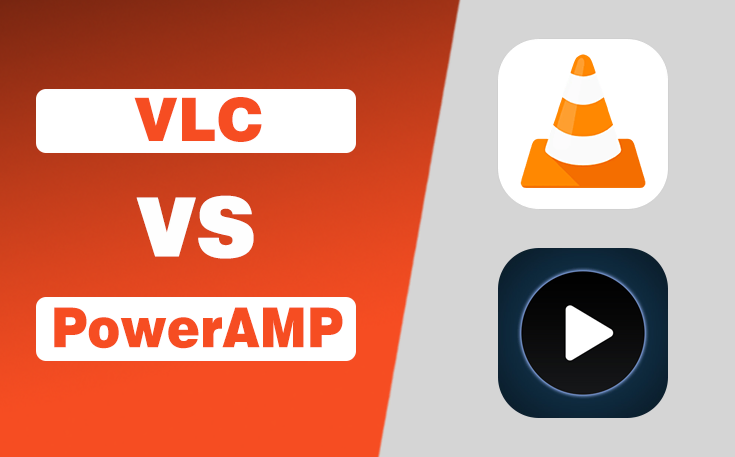
Choosing the right media player can significantly improve your music and video experience. Among Android users, VLC and PowerAMP are two of the most popular options.
While both applications are designed to play media files, they serve different purposes and are suitable for different audiences.
- VLC is known for its versatility and wide format support.
- PowerAMP is famous for its exceptional audio quality and advanced music playback features.
In this VLC vs PowerAMP guide, I have compared them across features, performance, interface, customization, audio capabilities, and overall value.
Which is Best for You?
- VLC Media Player is the better choice for users seeking a free, all-purpose media player capable of handling virtually any audio or video format. Its broad compatibility, reliable performance, and cross-platform availability make it ideal for everyday use.
- PowerAMP, on the other hand, is designed for serious music lovers who demand superior audio quality, extensive sound customization, and a polished user experience.
If you have saved music on your smartphone, VLC can act like one of the best free music apps even without WiFi, so you can listen to your favorite songs.
VLC vs PowerAMP Complete Comparison
In the under section, I have provided a complete and detailed comparison of the VLC media player and PowerAMP. Compare everything, and you will be able to determine which one is good for you.
| Factors | VLC | PowerAMP | Winner |
| User Interface & Design | Simple and functional | Modern and customizable | PowerAMP |
| Audio Quality & Playback | Good audio with basic EQ | Advanced sound engine and EQ | PowerAMP |
| Video Playback Features | Excellent video support | No video playback | VLC |
| File Format Support | Supports audio and video formats | Excellent audio format support | VLC |
| Performance & Resource Usage | Lightweight and efficient | Smooth but uses more resources with effects | VLC |
| Customization Options | Basic customization | Extensive personalization | PowerAMP |
| Pricing & Value | Completely free | Paid after trial | VLC |
1. User Interface and Design
- VLC: Offers a clean and simple interface that is easy to navigate. Users can quickly access videos, music, folders, and network streams without confusion.
- PowerAMP: Features a modern design with themes, gestures, album artwork, and customizable layouts. It delivers a more premium and visually appealing experience.
Winner: PowerAMP
2. Audio Quality and Playback
- VLC: Provides reliable audio playback with a basic equalizer and standard sound controls. It is suitable for everyday music listening.
- PowerAMP: Includes a powerful equalizer, bass and treble controls, Hi-Res audio support, and advanced sound processing for superior music quality.
Winner: PowerAMP
3. Video Playback Features
- VLC: Plays almost every video format and supports subtitles, playback speed controls, picture-in-picture mode, and hardware acceleration.
- PowerAMP: Focuses entirely on music playback and does not support video files. It is not designed for watching movies or videos.
Winner: VLC
4. File Format Support
- VLC: Supports nearly all audio and video formats, making it one of the most versatile media players available.
- PowerAMP: Supports popular and lossless audio formats but does not offer video format compatibility.
Winner: VLC
5. Performance and Resource Usage
- VLC: Runs smoothly on most Android devices and efficiently handles both audio and video playback with low battery consumption.
- PowerAMP: Delivers fast music playback and library scanning, though advanced audio effects can slightly increase resource usage.
Winner: VLC
6. Customization Options
- VLC: Offers basic settings for themes, playback controls, and subtitles but has limited personalization features.
- PowerAMP: Allows users to customize themes, fonts, colors, widgets, lock screen controls, and overall interface appearance.
Winner: PowerAMP
If you are not happy with the limited customization features of VLC and any other aspect, you should explore my guide on the best apps like VLC for an extended collection.
7. Pricing and Value
- VLC: Completely free and open-source with no ads or subscription fees. It offers outstanding value for all users.
- PowerAMP: Comes with a free trial, but the full version requires a one-time purchase to unlock all premium features.
Winner: VLC
Final Thoughts
Both VLC and PowerAMP are excellent media players, but they target different audiences.
If your primary focus is listening to music with the best possible sound, PowerAMP is the stronger option. However, if you need one application for both music and video playback without spending money, VLC remains the most practical and versatile solution.
People Also Ask
Is VLC completely free to use?
Yes, VLC is 100% free, open-source, and does not require any subscription or in-app purchase.
Does PowerAMP support video playback?
No, PowerAMP is designed exclusively for music playback and does not support video files.
Which app offers better audio quality?
PowerAMP delivers better audio quality with its advanced equalizer, Hi-Res audio support, and sound customization features.
Which media player supports more file formats?
VLC supports a wider range of both audio and video formats, making it the more versatile media player.
Which is better for everyday users: VLC or PowerAMP?
VLC is better for users who need both audio and video playback, while PowerAMP is ideal for dedicated music enthusiasts.
Need custom app with amazing features?
Get a Quote