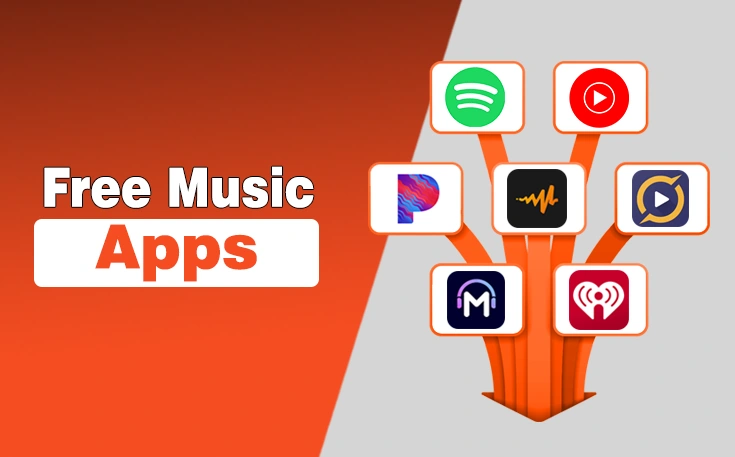
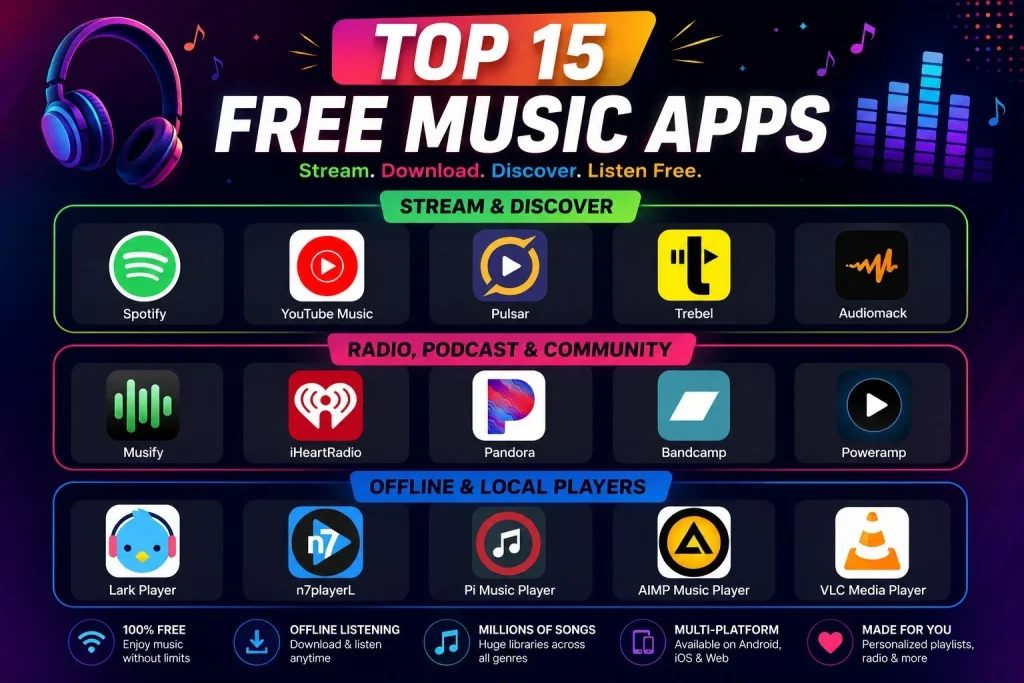
The free music apps are Spotify, YouTube Music, Trebel, Audiomack, Musify, iHeartRadio, Pandora, Bandcamp, Poweramp, Lark Player, n7player, Pi Music Player, AIMP Music Player, and VLC Media Player. They all offer free access to music on Android and iOS without a paid subscription.
While many music streaming platforms continue to raise their subscription prices, these free music apps still allow users to enjoy their favorite songs, explore different genres, and even listen offline in some cases.
Whether you want ad-supported streaming, offline downloads, or a powerful local music player, this list will help you choose the best free music app for your needs. Let’s get into their details to determine which can be the top pick.
| Purpose | Best App |
|---|---|
| Best Overall | Spotify |
| Best for Music Videos | YouTube Music |
| Best for Offline Listening | Trebel |
| Best for Hip-Hop Fans | Audiomack |
| Best for Independent Artists | Bandcamp |
| Best Music Player | VLC Media Player |
What is Music App?
A music app is a software application that allows users to manage and listen to music on their digital devices like smartphones.
With music apps, you can listen to music files stored on your device’s internal memory or on connected storage devices. Also, these apps provide access to a large library of music for music enthusiasts.
There are two types of music apps, online and offline, to stream your favourite music.
- Online music apps give you access to a large song library with an internet connection.
- Offline music apps allow you to listen to your saved music, whether on the app or your device.
What is the Best Free Music App Without Ads?
While most free music streaming apps rely on advertisements to support licensing costs, some offline music players such as VLC Media Player and AIMP Music Player offer ad-free music playback for songs stored on your device. For streaming music, completely ad-free free options are extremely limited.
What is the Best Free Music App for iPhone?
Spotify and YouTube Music are among the best free music apps for iPhone because they offer large music libraries, personalized recommendations, and easy-to-use interfaces.
What is the Best Free Music App for Android?
Spotify, YouTube Music, and Audiomack are popular free music apps for Android users, offering music streaming, playlists, and music discovery features without a subscription.
Can I Listen to Free Music Online Without Downloading?
Yes. Pandora and iHeartRadio allow you to listen to free music online without downloading songs to your device.
Which Are the Best Download Music Apps?
Trebel and Audiomack are among the best music download apps because they allow users to save music for offline listening while maintaining licensed music access.
Free Music Apps vs Music Players: What’s the Difference?
| Feature | Music Streaming Apps | Music Players |
|---|---|---|
| Primary Purpose | Stream music from online libraries | Play music files stored on your device |
| Internet Required | Yes (for streaming) | No |
| Offline Listening | Limited on free plans; often requires Premium | Yes |
| Music Library | Millions of online songs | Your downloaded music collection |
| Discover New Music | Yes | No |
| Playlists & Recommendations | Yes | Limited |
| Data Usage | Uses mobile data or WiFi | No data usage |
| Best For | Music discovery and streaming | Travel, flights, and offline listening |
| Popular Apps | Spotify, YouTube Music, Pandora, Audiomack | VLC Media Player, AIMP, Poweramp, Pi Music Player |
Best Free Music Apps Both Onfline/Offline To Check Out
We are all music enthusiasts, listening to songs while on the go, working, or in our free time at night. That’s where the music industry has transformed so quickly from CDs to online music. Now, we can easily access music with one click, anytime and everywhere, with various free music apps.
| App | Best For | Offline Listening | Android | iPhone |
|---|---|---|---|---|
| Spotify | Overall Music Streaming | Premium Only | Yes | Yes |
| YouTube Music | Music Videos & Remixes | Premium Only | Yes | Yes |
| Pulsar | Lightweight Offline Music Player | Yes | Yes | Yes |
| Trebel | Free Offline Downloads | Yes | Yes | Yes |
| Audiomack | Hip-Hop & Emerging Artists | Yes | Yes | Yes |
| Musify | Music Discovery | No | No | Yes |
| iHeartRadio | Live Radio Stations | Premium Only | Yes | Yes |
| Pandora | Personalized Radio | Premium Only | Yes | Yes |
| Bandcamp | Independent Artists | Depends | Yes | Yes |
| Poweramp | Audiophiles | Yes | Yes | No |
| Lark Player | Offline Music & Video Playback | Yes | Yes | Yes |
| n7player | Library Organization | Yes | Yes | Yes |
| Pi Music Player | Offline Playback & Ringtones | Yes | Yes | Yes |
| AIMP Music Player | Ad-Free Offline Listening | Yes | Yes | No |
| VLC Media Player | Universal Media Playback | Yes | Yes | Yes |
<strong>Subject</strong>: ………………………………
Are There Free Music Apps Without Ads?
Some offline music players such as VLC Media Player and AIMP do not include audio advertisements because they play music files already stored on your device.
However, most free music streaming apps rely on advertising to fund music licensing costs.
Here is a list of the best free music apps for everyone.
Best Free Music Apps List
- Spotify – Best for personalized music recommendations and playlists across genres.
- YouTube Music – Ideal for music videos and seamless integration with YouTube.
- Pulsar – Great for discovering new and emerging indie artists in a clean, minimalist app.
- Trebel – Best for downloading and listening to music offline without any subscriptions.
- Audiomack – Perfect for hip-hop, rap, and R&B lovers looking for free streaming.
- Musify – Best for streaming music with a focus on international hits and trending songs.
- iHeartRadio – Ideal for listening to live radio stations and music-curated playlists.
- Pandora – Perfect for personalized radio stations with a mix of music preferences.
- Bandcamp – Best for supporting independent artists and purchasing exclusive music.
- Poweramp – Best for audiophiles who want high-quality music playback.
- Lark Player: Best for its sleek interface and comprehensive online streaming integration.
- n7player: Best for its innovative tag-based navigation and customizable user experience.
- Pi Music Player: Best for its elegant design and powerful equalizer features.
- AIMP Music Player: Best for its extensive format support and advanced audio customization options.
- VLC Media Player: Best for its versatility in playing almost any media format and robust streaming capabilities.
1. Spotify
Spotify is one of the most popular free music platforms which is considered the best free music app with lyrics due to free versions that allow you to listen to music, podcasts, and audiobooks, but with ads and limitations.
With this free online music player, you can enjoy free music on both mobile and desktop, and no credit card is required to sign up. Spotify is a similar Musi alternative that provides millions of tracks for users to enjoy their favorite songs without any subscription.
Spotify Key Features
- Vast Music Library: Spotify boasts a massive library of millions of songs, artists, and albums
- Personalized Recommendations: Spotify uses algorithms to analyze user listening habits and create personalized playlists
- Free and Premium Subscriptions: Spotify offers both a free tier with ads and a premium subscription with features like ad-free listening
- Podcast Integration: Spotify has expanded beyond music to include a wide variety of podcasts
Pros
- Vast Music Library
- Free Tier
- Personalize recommendations
- Offline Listening
Cons
- Ads in the free version
- Limited audio quality (Free)

2. YouTube Music
YouTube Music is one of the best free music streaming apps that offers access to over 100 million songs, albums, playlists, remixes, music videos, live performances, and covers. This free music streaming app for Android and iOS mobiles is also available via web browsers.
On YouTube, you can discover and enjoy music from various genres worldwide, including exclusive content not available elsewhere.
YouTube Music Key Features
- On-demand Playback: Listen to millions of songs and music videos on demand.
- Personalized Recommendations: YouTube Music uses AI and machine learning to suggest music based on your listening and viewing history.
- Curated Playlists: Explore a variety of playlists based on genre, mood, or popularity.
- Artist Channels: Discover albums, top songs, and even cover versions of songs by your favorite artists.
- Music Videos: Access a vast library of music videos.
Pros
- Large content library
- Free to use
- Community engagement
- Control over recommendations
Cons
- No high-res audio
- Ads in the free version

3. Pulsar
Pulsar is a music player app that offers various features to manage and play music. It includes browsing by album, artist, genre, and folder, gapless playback, and a rich equalizer, without extensive advertisements.
Pulsar resonates best with those users who want to listen to music for free without juggling with a diverse collection of music listening apps.
Pulsar Key Features
- Clean Interface and Compact Size: Pulsar is known for its elegant design and small app size, making it efficient and easy to use.
- Gapless Playback: Ensures smooth transitions between songs without any pauses.
- Chromecast Support: Enables users to stream music to Chromecast devices.
- Auto Artwork Downloading: Automatically downloads and displays album art and artist images.
- Smart Playlists: Offers smart playlists based on most played, recently played, and newly added tracks.
Pros
- Offline listening
- User-friendly interface
- Small app size
- Gapless Playback
Cons
- Limited features
- No Freefy Functionality

4. Trebel
If you are looking for free music apps offline, Trebel is the perfect choice. It provides convenient streaming, offline listening, and downloading options for users at no cost. You can discover and store unlimited tracks to enjoy anytime, even without Wi-Fi.
Additionally, it is the best free online music app as it supports both MP3 downloads and podcasts.
Trebel Key Features
- Free Music Downloads: Users can download music for offline listening by watching non-skippable ads.
- Ad-Supported Model: It operates on an ad-supported business model, where ads fund the free music experience.
- Offline Playback: Music downloaded through Trebel can be played offline, giving users more flexibility.
- Legally Licensed Music: The app ensures all music provided is legally licensed, addressing piracy concerns.
Pros
- Free Music downloads
- Offline listening
- No data usage
- Unique features
Cons
- Ads
- Limited library

5. Audiomack
Audiomack not only provides you music but also gives an opportunity to artist to upload their songs. It allows users to discover, share, and download music for free. Audiomack stands out among the best free music apps because its provides an easy way to listen to music offline or stream the latest trending track.
Audiomack Key Features
- Music and Podcast Streaming: Listeners can stream music and podcasts for free.
- Offline Downloads: Audiomack allows users to download content for offline listening.
- Playlist Creation: Users can create and share playlists.
- Direct Artist Support: Listeners can directly support their favorite artists through the “Supporters” feature.
- Discovery: Audiomack helps users discover new music and artists.
Pros
- Free Music and Discovery
- Powerful Release Management
- Free Marketing Platform
- Monetization Opportunities
Cons
- Not a Full-Catalog Streaming Service
- Ads
6. Musify
Musify – Discover New Music is an iOS music discovery app designed to help users explore new songs, artists, and playlists suitable to their taste. Instead of focusing on music downloads, Musify emphasizes personalized recommendations and discovery, which makes it ideal for listeners who enjoy finding fresh tracks effortlessly.
Musify Key Features (iOS)
- Music Discovery Engine: Explore new songs and artists based on listening preferences.
- Curated Playlists: Access hand-picked playlists across multiple genres and moods.
- User-Friendly Interface: Clean and intuitive design optimized for iPhone users.
- Streaming-Focused Experience: Discover and preview music without managing local files.
- Regular Updates: Playlists and recommendations are refreshed frequently.
Pros
- Simple and modern iOS-optimized design
- Great for discovering new music and artists
- Easy navigation and smooth performance
- No need to manage downloads or storage
Cons
- No offline music downloads
- Limited advanced playback controls
- Not available on Android
Note: “Musify – Discover New Music” is not available for Android users. So, the apps listed on the Play Store with the Musify title are third-party apps.
7. Iheartradio
Iheartradio is a popular application for free music to access a wide range of music, podcasts, and live radio stations. One of the best things is that users can listen to thousands of live radio broadcasts or customize their own stations based on their favorite artists and genres.
Also, its personalized recommendations and curated playlists enhance the listening experience.
Iheartradio Key Features
- Personalized Music Stations: Create custom stations based on artists, genres, or moods.
- Playlists: Save songs from live radio or artist stations to create personalized playlists.
- On-Demand Music: Search and play any song, album, or playlist from iHeartRadio’s extensive music library (available with iHeartRadio All Access).
- Replay & Save: Replay songs from live radio and save them to playlists.
- Offline Listening: Download music for offline listening (available with iHeartRadio All Access).
Pros
- Extensive content
- Free tier
- All-in-one audio service
- High quality audio
Cons
- Limited customizations
- No playlists

8. Pandora
Pandora also comes in the rundown of best free apps due to its collection of songs and smooth listening experience. It is perfect app for music lovers who want to listen to songs through playlists or categories. Users can create stations based on their favorite songs, artists, or genres.
Pandora Key Features
- Personalized Stations: You can create radio stations based on your favorite artists, genres, or songs, which Pandora refines over time as you interact with it.
- Ad-Free Streaming: With a paid subscription, you can enjoy ad-free music and access to on-demand tracks.
- Podcasts: Pandora also features podcasts, allowing users to enjoy a variety of content besides music
- Offline Listening: With certain subscription plans, users can download music and listen to it offline.
Pros
- Personalized Radio Stations
- Free tier
- Songs collection
- Easy to use
Cons
- Limited on demand listening
9. Bandcamp
Bancamp application for free music is the perfect choice for those who want to listen to their favourite artist’s exclusive music. In this app, artists share and sell their songs directly to their fans, which means you can get exclusive access to first priority.
Hence, you can also listen to different genres of songs to enjoy music.
Bandcamp Key Features
- Artist Support: Bandcamp allows artists to directly sell their music and merchandise to fans, fostering a direct connection between creators and listeners
- Customizable Pages: Artists can customize their pages with bio, images, and more, allowing them to build their own brand.
- High-Quality Streaming: Bandcamp offers high-quality audio streaming and downloads, with various formats (MP3, FLAC, etc.) for users to choose from.
- Bandcamp Live: A feature for live performances, offering artists an easy way to stream and interact with fans, including ticketing and virtual tip jars.
Pros
- Artist-Friendly Revenue Model
- Direct Fan Engagement
- Community and Support
- Personalized collections
Cons
- Limited reach
- Discovery challenges

10. Poweramp
Poweramp is a popular music player app to play local music files and radio streams in different formats. One of the best features it includes is hi-res studio. It has a friendly interface to navigate easily through and supports both library and folder browsing.
No doubt, Poweramp is basically a music player, but it also serves as a free music app due to its music streaming features.
Poweramp Key Features
- High-Quality Audio: Supports various audio formats (MP3, FLAC, WAV, etc.) and offers a high-performance equalizer for sound customization.
- Dynamic Queue & Shuffle: Allows for flexible queue management and advanced shuffle/repeat modes for playlists.
- Folder Navigation: Play music directly from folders with options for flat or hierarchical views.
- Themes: Offers a dark and light theme, with the ability to install custom themes from external sources.
- User Interface: Provides a user-friendly, material design with large buttons and easy navigation
Pros
- Superior Audio Quality
- Customization Options
- Intuitive Interface
- Folder Navigation
Cons
- Limited Android Auto Issues
Note: The official Power AMP Music Player app from the Poweramp Software Design/Max MP is not available for iOS users. Any “Poweramp” versions you find in the Apple App Store are different apps by unrelated developers.

Best Offline Music Apps/Music Players
Streaming apps like Spotify and YouTube Music provide access to millions of songs online, offline music apps work differently. They are designed to play music files already stored on your device, allowing you to listen without using mobile data or WiFi.
These apps are especially useful during flights, road trips, daily commutes, or in areas with poor network coverage.
If your priority is uninterrupted playback, better control over your music library, and reduced data usage, the following offline music apps are worth considering.
11. Lark Player
Lark player is such an amazing free music player that allows music enthusiasts to listen to free music. It supports all major formats of offline music and videos, which makes it ideal for offline listening.
Lark’s user-friendly interface, lyrics, a powerful equalizer, and playlists features are best for users looking to enjoy music and videos on-the-go without requiring an internet connection.
Lark Player Key Features:
- Enhanced Audio Experience: Boosts volume for music and videos by up to 200%, with built-in equalizer for personalized sound adjustments.
- Wide Format Support: Plays HD, Full HD, and Ultra HD videos smoothly.
- User-Friendly Interface: Stylish and intuitive interface for easy navigation.
- Offline Playback: Ability to play music offline, making it convenient for users without constant internet access.
Pros
- Offline playback
- lightweight
- Multiple formats supports
- Playlist management
Cons
- No music downloading
- Limited advance features

12. n7player
n7player is a feature-rich free offline music app and player available for Android, iOS, and Windows platforms. It offers a unique browsing experience with an intuitive interface to easily navigate your music library.
The app supports various audio formats and includes advanced features such as a customizable user interface and powerful audio processing capabilities. n7player provides a fresh approach to listening to music on mobile devices, emphasizing usability and innovative design.
N7player Key Features:
- Advanced Equalizer: Includes a 10-band equalizer with separate controls for Bass and Treble adjustment.
- Customizable Interface: Unique browsing approach with tag editing, folder filtering, and customizable headset controls.
- Material Design Update: Recent updates include a complete overhaul to Material Design, enhancing usability with new screens for playing, albums, search, and library management.
- High-Quality Audio Support: Offers high-quality audio playback and customization options such as pre-amp creation, channel balance adjustment, and audio enhancement.
- Widget Support: Provides lock and home-screen widgets for convenient track management directly from your device’s interface.
Pros
- Simple and Intuitive Interface
- Visually Appealing
- Good for Basic Music Playback
- Good collection
Cons
- Lack of File Tagging Control
- No Proper Exit Button
13. Pi Music Player
Pi Music player also comes in this rundown of free music apps due to its user-friendly interface, free music listening and ringtone cutter.
Primarily, it is best for non-stop offline streaming with the best music player experience. With more than 50 million downloads, it has millions of users and positive feedback from users.
PI Music Player key features:
- Material Design: The app is designed with Material Design principles in mind, offering a visually appealing and intuitive user experience.
- 5-Band Equalizer: Customize your audio playback with a built-in 5-band equalizer, bass boost, 3D reverb effects, and virtualizer, along with 10 pre-set options.
- Ringtone Cutter: Precisely cut any MP3 file to create custom ringtones.
- Music Sharing: Share your music with others using the advanced music share feature.
- Enhanced Folder View: Browse your music files by folders for easy organization.
Pros
- Clean and Intuitive Interface
- Powerful Features
- Good Sound Quality
- Supported Audio Formats
Cons
- Lacks Advanced Features
- No Cloud Storage Integration
- No Equalizer
14. AIMP Music Player
If you are looking for versatile free offline music apps to enjoy an offline music experience, AIMP music player is your go-to source.
It supports various audio formats, a customizable interface, and many amazing features including audio conversion and internet radio playback. These features and free music accessibility make it the best choice for users who are looking for a lightweight and powerful music player.
AIMP Music Player Key Features:
- Audio Format Support: AIMP supports a wide range of audio codecs, ensuring compatibility with various file formats.
- Audio Conversion and Editing: It includes tools for converting audio files and editing metadata, providing flexibility in managing music collections.
- Customizable Interface: AIMP offers a flexible user interface that can be tailored to user preferences.
- Playlist Management: Users can create and manage playlists easily, with features like batch export and playback progress display.
Pros
- Offline Playback
- Free and Ad-Free
- Music Organizer
- Smart Playlists
Cons
- Quirks and Bugs
- Lack of Range Multi-Select

15. VLC Media Player
VLC media player is a well known free offline music app with high end features and playback capabilities. It provides a hassle free offline music streaming with track sorting, encodes, and library file access.
It supports playback of most multimedia files, discs, streams, and various formats, which is best for music enthusiasts. One of the things that I like most is its compatibility with multiple platforms, including Windows, macOS, Linux, Android, and iOS.
VLC Media Player Key Features:
- Universal Media Support: VLC supports a wide array of audio and video formats, including DVD-Video, Video CD, and various streaming protocols.
- Open Source and Free: VLC is free to use and distributed under an open-source license, meaning anyone can access and modify the code.
- Cross-Platform Compatibility: VLC is available for Windows, macOS, Linux, Android, iOS, and more.
- Streaming Capabilities: VLC can play and stream media over computer networks and the internet.
Pros
- Extremely versatile
- Open-source and free
- Lightweight and resource-efficient
- Built-in codecs
Cons
- Advanced settings can be confusing
- Outdated interface

Which Free Music App Is Best For Different Users?
| User Type | Recommended App |
|---|---|
| Casual Listener | Spotify |
| Music Video Lover | YouTube Music |
| Offline Listening | Trebel |
| Hip-Hop Fans | Audiomack |
| Independent Artist Supporter | Bandcamp |
| Audiophile | Poweramp |
| Local Music Collection | VLC |
So, What's My Recommendation?
The best free music app ultimately depends on how you listen to music.
- If you want access to millions of songs, personalized playlists, and music discovery features, streaming apps like Spotify, YouTube Music, and Audiomack are excellent choices.
- If you prefer listening without an internet connection, offline music players such as VLC Media Player, AIMP, and Poweramp offer greater control over your local music collection.
Before choosing an app, consider factors such as offline listening support, device compatibility, audio quality, and the type of music experience you want.
Whether you need a music streaming service, a download-friendly platform, or a powerful offline player, the apps in this guide offer reliable options for every type of listener in 2026.
Questions People Also Ask About Free Music Apps
What is the best free music app?
Spotify is the best free music app for most users thanks to its large music catalog, playlists, podcasts, and recommendation engine.
Which free music app works offline?
Trebel, Audiomack, VLC Media Player, and AIMP support offline listening.
What is the best free music app for iPhone?
Spotify and YouTube Music are among the best free music apps for iPhone users.
What is the best free music app for Android?
Spotify, Audiomack, and YouTube Music are popular free music apps for Android.
Are free music apps legal?
Yes. Reputable music apps license music from artists, labels, and rights holders.
Can I listen to music without WiFi?
Yes. Download music beforehand or use offline music player apps like VLC and AIMP.
Which music app has the largest music library?
YouTube Music offers access to more than 100 million songs along with videos and remixes.
Which music app has the best sound quality?
Poweramp and AIMP are among the best options for users focused on audio quality.
Need custom app with amazing features?
Get a Quote